Outils de balises
Outils gratuits de meta tags pour générer et analyser les balises title, description, robots et Open Graph. Améliorez votre SEO et votre taux de clic. Essayez maintenant !
Outils de balises meta gratuits – Générer et analyser les balises
Outils de balises meta gratuits – Générer et analyser les balises
- 🧰 2 free tools
- 💸 100% free
- 🔓 Aucune inscription
- 📱 Fonctionne sur tout appareil
- 🔒 Secure HTTPS
Meta tag tools help you write and check the title, description and robots tags that search engines read, so your pages look better in search results.


All 2 Free Tags Tools
| Tool | What it does | Input / Best for |
|---|---|---|
  Analyseur de balises meta | Analyse the meta tags of any web page – title, description, keywords, robots and Open Graph tags | page details → meta tags |
  Générateur de balises meta | Generate SEO-friendly meta tags for your website – title, description, keywords, robots and more | page details → meta tags |
Analyseur de balises meta
Meta tags tell search engines and social networks what a page is about. The analyzer shows what is present, what is missing and how to improve it.
Open Meta Tag Analyzer →Générateur de balises meta
A meta tag generator creates correct HTML code for the head section of your page, so search engines show a better title and snippet.
Open Meta Tag Generator →How to Use Our Tags Tools
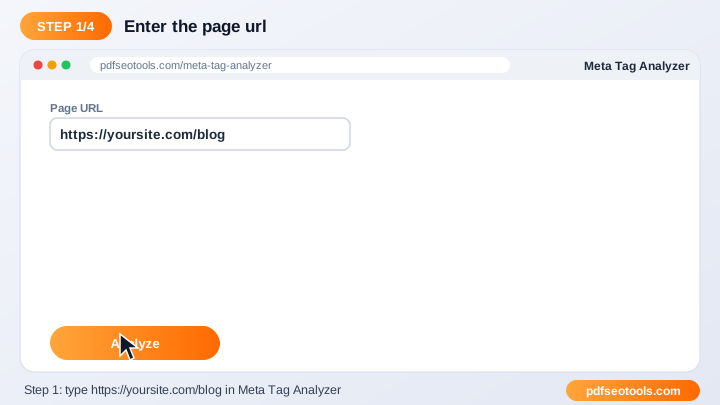
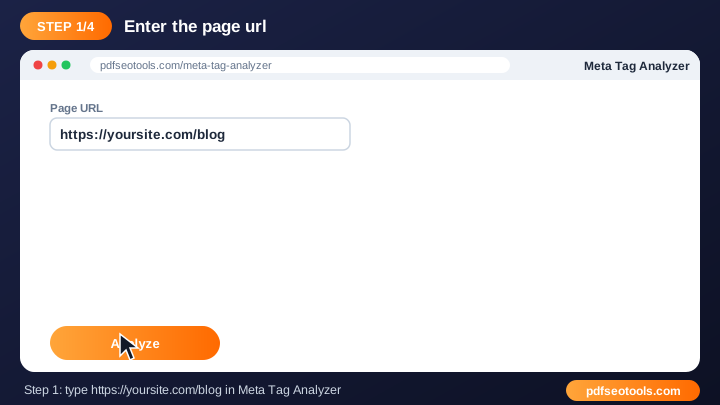
- Enter your page URL or fill in your page details.
- Click the generate / analyze button.
- Review the meta tags and suggestions.
- Copy the code or fix the issues on your website.
Tags Tools – Quick Reference
| Tag | Recommended length | Purpose |
|---|---|---|
| Title | 50–60 characters | Headline in search results |
| Meta description | 140–155 characters | Snippet under the title |
| OG title | 50–60 characters | Social share headline |
| OG description | 65–120 characters | Social share text |
Why Use Our Meta Tag Tools?
- SEO focused Built around the meta tags search engines actually use.
- Instant output Get results or ready-made code in seconds.
- Free Use the tool as often as you like.
- Beginner friendly Clear guidance even if you are new to SEO.
- Works with any CMS WordPress, Blogger, Laravel, Shopify or hand-coded sites.
- Mobile ready Use it from any device.

Tips for Using Tags Tools
- Keep titles around 50–60 characters and descriptions around 150–160 characters.
- Use your main keyword naturally near the start of the title.
- Write a unique title and description for every page.
- Re-check pages after updating your theme or plugins.
Tags Tools – Worked Example
Example: a page titled 'Home' gets few clicks. Changing the title to 'Free PDF Tools – Merge, Convert & Compress | Brand' and writing a 150-character description that matches the search intent makes the result clearer and more clickable.
Tags Tools Glossary
- Title tag
- The clickable headline shown in search results.
- Meta description
- The short summary that often appears under the title.
- Robots tag
- Tells search engines whether to index a page and follow its links.
- Open Graph
- Tags that control how links look on Facebook, WhatsApp and LinkedIn.
- Twitter card
- Tags that control link previews on X (Twitter).
Helpful Guides for Tags Tools
- 📘How to Write Meta Title and Description Tags for SEOWrite meta titles and descriptions that rank and get clicks: ideal length, keyword placement, examples and mistakes to avoid.
- 📘How to Analyze Meta Tags of Any Web PageCheck the title, description, robots, viewport and og:type of any page, spot missing or duplicate tags and learn how to fix them.
Questions fréquentes
Are these meta tag tools free?
Yes. Every tool in this category is free to use on pdfseotools.com with no sign-up.
Do the tools work on mobile?
Yes. They work in any modern browser on Android, iPhone, Windows and Mac.
Is my data safe?
Yes. Connections use HTTPS and uploaded files are removed after processing.
Dois-je installer un logiciel ou créer un compte ?
Non. Tout s'exécute dans votre navigateur web sur Windows, Mac, Android et iPhone – rien à télécharger, rien à installer et aucun compte à créer.
Is there a limit on how often I can use these tools?
You can use the tools as often as you need for normal everyday tasks. Very large files or extreme usage may be limited to keep the service fast for everyone.
Where can I find more free tools?
Open the menu or the categories on pdfseotools.com to browse 150+ free tools for PDFs, images, text, SEO and development.