
How to Convert Binary to Text (and Text to Binary) Online

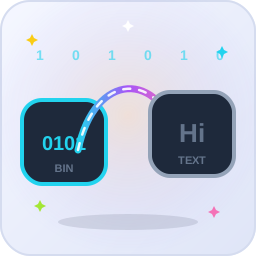
To convert binary to text, paste 8-digit groups separated by spaces (for example 01001000 01101001) into Binary to Text on pdfseotools.com and press Convert – the result here is "Hi". To go the other way, type text into Text to Binary and each character becomes an 8-bit group.

Faits essentiels
- Each character = 8 binary digits (one byte)
- Groups must be separated by spaces
- Paste text or upload a .txt file
- Works both ways: Binary to Text and Text to Binary
How the conversion works
 ✓
💻 Computers store every letter as a number. In ASCII, "H" is 72 and "i" is 105. Binary writes those numbers with only 0 and 1, padded to 8 digits:
| Character | ASCII number | 8-bit binary |
|---|---|---|
| H | 72 | 01001000 |
| i | 105 | 01101001 |
| A | 65 | 01000001 |
| a | 97 | 01100001 |
| space | 32 | 00100000 |
| 0 (digit) | 48 | 00110000 |
So "Hi" becomes 01001000 01101001. Decoding reverses the process: each 8-digit group is turned back into its number and then its character.
How to convert – step by step

Step 1: Open the right tool
Use Binary to Text to decode, or Text to Binary to encode.
Step 2: Paste or upload
Paste your binary or text, or upload a .txt file.
Step 3: Convert
Press Convert. Each 8-bit group becomes one character, or each character becomes one group.
Step 4: Copy the result
Copy or download the output.
Decode one byte by hand
 ✓
Each position in a byte has a value: 128, 64, 32, 16, 8, 4, 2, 1. Add the values where there is a 1. For 01001000: 64 + 8 = 72, which is "H". Practising one or two bytes this way makes errors easy to spot.
Fixing common problems
- Seven or nine digits in a group – re-copy the binary; a digit was lost or added.
- No spaces – split the string into groups of 8 before decoding.
- Numbers come out as symbols – binary for the digit "7" (00110111) is different from the value 7 (00000111). For plain numbers, use Binary to Decimal.
Open the Binary To Text on pdfseotools.com – free, no sign-up and it works on any device.
Questions fréquentes
What format should my binary be in?
Groups of 8 digits (one byte per character) separated by spaces, for example 01001000 01101001. Without spaces the tool cannot tell where one character ends.
Why do I get strange symbols?
A group is missing a digit, has an extra digit, or the groups are not separated by spaces. Check that every group has exactly 8 digits.
Can I convert a whole text file?
Yes. Text to Binary and Binary to Text accept a .txt upload as well as pasted text.
Does it work with emojis or Hindi text?
Those characters use several bytes in UTF-8, so one character becomes two to four 8-bit groups. Converting back works when every byte is kept.
Is binary a form of encryption?
No. Anyone can decode binary instantly. Never use it to hide passwords or private messages.
What is the binary for A?
Capital A is 65 in ASCII, which is 01000001 in binary. Lowercase a is 97, or 01100001.
Résumé
Eight digits per character, spaces between groups – that is the whole rule. Decode with Binary to Text, encode with Text to Binary, and find more on the free binary converters page.
Partager sur les réseaux sociaux :