RGB to Hex Converter
𝐂𝐨𝐧𝐯𝐞𝐫𝐭 𝐑𝐆𝐁 𝐯𝐚𝐥𝐮𝐞𝐬 𝐭𝐨 𝐇𝐄𝐗 𝐜𝐨𝐥𝐨𝐫 𝐜𝐨𝐝𝐞𝐬 𝐞𝐟𝐟𝐨𝐫𝐭𝐥𝐞𝐬𝐬𝐥𝐲. 𝐈𝐝𝐞𝐚𝐥 𝐟𝐨𝐫 𝐰𝐞𝐛 𝐝𝐞𝐬𝐢𝐠𝐧, 𝐠𝐫𝐚𝐩𝐡𝐢𝐜 𝐩𝐫𝐨𝐣𝐞𝐜𝐭𝐬, 𝐚𝐧𝐝 𝐜𝐨𝐥𝐨𝐫 𝐦𝐚𝐭𝐜𝐡𝐢𝐧𝐠, 𝐢𝐭 𝐞𝐧𝐬𝐮𝐫𝐞𝐬 𝐚𝐜𝐜𝐮𝐫𝐚𝐭𝐞 𝐚𝐧𝐝 𝐟𝐚𝐬𝐭 𝐜𝐨𝐥𝐨𝐫 𝐜𝐨𝐧𝐯𝐞𝐫𝐬𝐢𝐨𝐧𝐬.
Share on Social Media:
Converter 🎨
R Red ❤️
G Green 💚
B Blue 💙
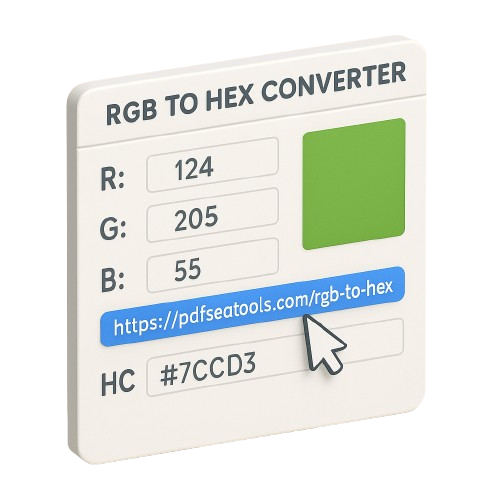
RGB to Hex Converter: Translate Colors for Web & Design Instantly
Welcome to the Free RGB to Hex Converter from PDFSeoTools.com, the essential tool for designers, developers, and digital creators. Seamlessly convert RGB color values to HEX color codes in seconds—directly in your browser. Perfect for web development, graphic design, and any project requiring precise color matching. No software installation or design skills required!
(Embed your tool interface here)
[Input Fields: R: __ G: __ B: __] (with sliders for each)
[Color Preview Box]
[Output Field: HEX: #______]
[Buttons: "Convert", "Copy HEX Code", "Reset"]
Why Use the PDFSeoTools RGB to Hex Converter?
Accuracy in color translation is crucial for maintaining design consistency across platforms. Our tool ensures precision and ease.
⚡ Instant Conversion: Get HEX codes the moment you input RGB values.
🎨 Visual Color Preview: See the color instantly before using the code.
🛡️ 100% Browser-Based: No downloads, no software installation.
💯 Completely Free: Unlimited conversions with zero cost.
📱 Works on All Devices: Perfect for color work on desktop or mobile.
RGB to Hex Color Table 📋
| Color Name | (R,G,B) | Hex Code |
|---|---|---|
| Black ⚫ | (0,0,0) | #000000 |
| White ⚪ | (255,255,255) | #FFFFFF |
| Red ❤️ | (255,0,0) | #FF0000 |
| Lime 💚 | (0,255,0) | #00FF00 |
| Blue 💙 | (0,0,255) | #0000FF |
| Yellow 💛 | (255,255,0) | #FFFF00 |
| Cyan 🧊 | (0,255,255) | #00FFFF |
| Magenta 💖 | (255,0,255) | #FF00FF |
| Silver 🪞 | (192,192,192) | #C0C0C0 |
| Gray 🌫️ | (128,128,128) | #808080 |
| Maroon 🍷 | (128,0,0) | #800000 |
| Olive 🫒 | (128,128,0) | #808000 |
| Green 🌿 | (0,128,0) | #008000 |
| Purple 🟣 | (128,0,128) | #800080 |
| Teal 🐬 | (0,128,128) | #008080 |
| Navy ⚓ | (0,0,128) | #000080 |
Essential Color Codes Explained
RGB (Red, Green, Blue)
Format: rgb(255, 0, 0)
Used in: Digital displays, photo editing
Values: 0-255 for each color channel
HEX (Hexadecimal)
Format: #FF0000
Used in: Web design, CSS, HTML
Values: 00-FF for each color channel
Who Needs This Color Converter?
Web Developers: Quickly convert colors for CSS styling
Graphic Designers: Maintain color consistency across print and digital
UI/UX Designers: Ensure accurate color implementation in prototypes
Digital Marketers: Match brand colors exactly in online campaigns
Students: Learn color theory and web development basics
How to Use Our Converter (3 Simple Steps)
Enter RGB values (0-255) in the Red, Green, and Blue fields
Click "Convert" to generate the HEX code instantly
Copy the HEX code and use it in your project
Frequently Asked Questions (FAQs)
1. What is RGB to HEX conversion?
RGB to HEX conversion is the process of translating Red-Green-Blue color values (used in digital displays) into Hexadecimal codes (used in web design and development).
2. Why convert RGB to HEX?
HEX codes are the standard for web development (CSS, HTML), while RGB values are common in design software. Conversion ensures colors appear consistently across different platforms.
3. How accurate is the conversion?
Our converter provides 100% accurate, mathematical conversions. The HEX code generated will represent the exact same color as your RGB input.
4. Can I convert HEX to RGB with this tool?
This specific tool converts RGB to HEX. For HEX to RGB conversion, check out our other color tools on PDFSeoTools.com.
5. Is there a limit on conversions?
No! Our RGB to Hex Converter is completely free with unlimited conversions. Use it as much as you need.
6. Do I need to install software?
No installation required. Our tool works directly in your web browser—accessible anytime, anywhere.
7. Is my color data safe?
Absolutely. All conversions happen locally in your browser. We don't store or track your color data.
8. What's the range for RGB values?
RGB values range from 0 to 255 for each channel (Red, Green, Blue). Values outside this range will be automatically adjusted.
9. Can I use this on mobile devices?
Yes! Our converter is fully responsive and works perfectly on smartphones, tablets, and desktop computers.
10. What if I get an invalid color code?
Our tool includes validation to prevent errors. If you enter invalid values, it will prompt you to correct them before conversion.
11. Do you provide color palettes or suggestions?
This is a direct conversion tool. For color palettes and advanced color features, explore our other design tools at PDFSeoTools.com.
12. What other tools does PDFSeoTools offer?
We provide a comprehensive suite of free tools including PDF converters, image editors, text tools, and other design utilities to enhance your workflow.