Keywords Tools
Free keyword tools to research keywords, find related terms, check Google ranking position, SERP results and keyword density. Boost your SEO.
Free Keyword Tools – Research, Rank & Density
Free Keyword Tools – Research, Rank & Density
- 🧰 6 free tools
- 💸 100% free
- 🔓 No sign-up
- 📱 Works on any device
- 🔒 Secure HTTPS
Keyword tools show what people search for, where your pages rank and how naturally you use keywords in your content.


All 6 Free Keywords Tools

 SERP CheckerCheck search engine result pages (SERPs) for any keyword and see which websites rank on top

 Keyword PositionFind the Google ranking position of your website for any keyword

 Keyword Density CheckerCheck keyword density and the most-used words and phrases on any page or text

 Related Keywords FinderFind related keywords and long-tail phrases for any topic

 Keyword Research ToolDiscover keyword ideas for SEO and content marketing

 Keywords Rich DomainsFind keyword-rich domain name ideas for your niche
| Tool | What it does | Input / Best for |
|---|---|---|
| SERP Checker | Check search engine result pages (SERPs) for any keyword and see which websites rank on top | keyword → keyword insights |
| Keyword Position | Find the Google ranking position of your website for any keyword | keyword → keyword insights |
| Keyword Density Checker | Check keyword density and the most-used words and phrases on any page or text | keyword → keyword insights |
| Related Keywords Finder | Find related keywords and long-tail phrases for any topic | keyword → keyword insights |
| Keyword Research Tool | Discover keyword ideas for SEO and content marketing | keyword → keyword insights |
| Keywords Rich Domains | Find keyword-rich domain name ideas for your niche | keyword → keyword insights |
SERP Checker
A SERP checker shows the pages that rank for a keyword. Studying the top results reveals search intent and what content you need to compete.
Open SERP Checker →Keyword Position
A keyword position checker searches for your keyword and reports where your domain appears, helping you measure SEO progress.
Open Keyword Position →Keyword Density Checker
Keyword density is how often a word appears compared with the total words. The checker helps you use keywords naturally and avoid stuffing.
Open Keyword Density Checker →Related Keywords Finder
Related keywords help search engines understand your topic in depth. Using them in headings and paragraphs improves relevance and coverage.
Open Related Keywords Finder →How to Use Our Keywords Tools
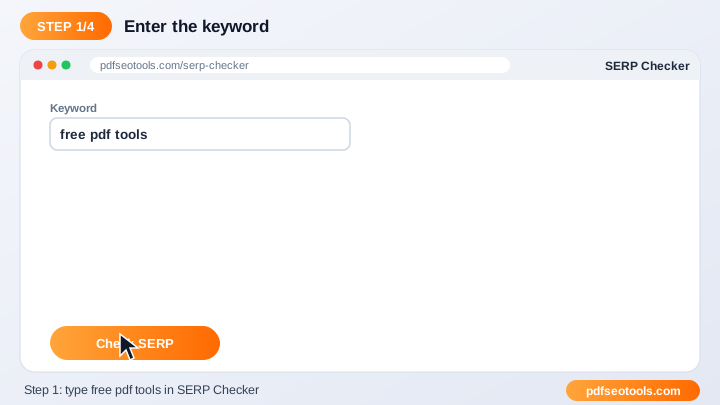
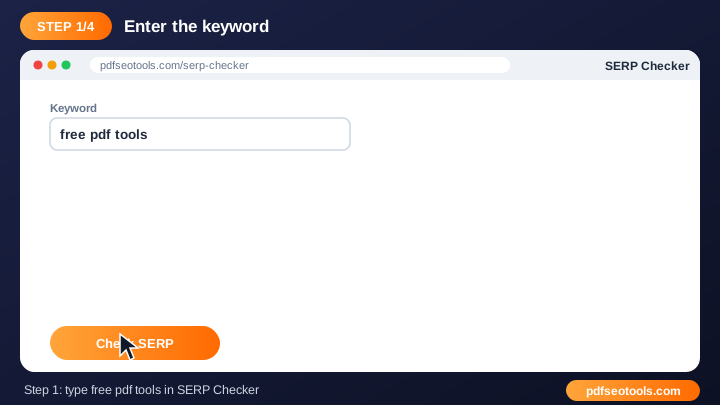
- Enter your keyword, and your domain if the tool asks for it.
- Choose the country or other options if available.
- Click the check button.
- Analyse the results and use them in your content plan.
Keywords Tools – Quick Reference
| Search intent | Example query | Best content |
|---|---|---|
| Informational | what is a pdf | Guide or blog post |
| Navigational | pdfseotools merge pdf | Tool or brand page |
| Commercial | best free pdf tools | Comparison / list |
| Transactional | compress pdf online | Tool page |
Why Use Our Keyword Tools?
- Keyword insights Find data that helps you choose better keywords.
- Fast research Get results in seconds.
- Free Use the tool without a paid SEO subscription.
- Beginner friendly Clear results that are easy to act on.
- Content planning Turn data into blog titles, headings and pages.
- Works anywhere Use it on mobile or desktop.

Tips for Using Keywords Tools
- Target long-tail keywords for faster rankings on new websites.
- Match search intent – informational, commercial or transactional.
- Use the keyword naturally; avoid keyword stuffing.
- Track results monthly to see progress.
Keywords Tools – Worked Example
Example: 'pdf' is too broad for a new site, but 'compress pdf to 100kb for online form' is specific, matches a clear need and has less competition. A focused guide plus a link to the PDF Compressor answers that search perfectly.
Keywords Tools Glossary
- Keyword
- A word or phrase people type into a search engine.
- Long-tail keyword
- A longer, more specific phrase that is usually easier to rank for.
- Search intent
- The goal behind a search: learn, find, compare or buy.
- SERP
- Search Engine Results Page.
- Keyword density
- How often a keyword appears compared with the total word count.
Helpful Guides for Keywords Tools
- 📘How to Do Keyword Research for Free (Beginner Guide)A beginner's guide to free keyword research: collect real search phrases, check what competitors target and pick long-tail keywords you can rank for.
- 📘How to Check Your Keyword Ranking Position on GoogleCheck where your page ranks on Google for several keywords by country, why results differ by device and location, and how to improve.
- 📘Keyword Density Explained: How Much Is Too Much?What keyword density is, why there is no perfect percentage and how to use keywords naturally without stuffing or hurting rankings.
Frequently Asked Questions
Are these keyword tools free?
Yes. Every tool in this category is free to use on pdfseotools.com with no sign-up.
Do the tools work on mobile?
Yes. They work in any modern browser on Android, iPhone, Windows and Mac.
Is my data safe?
Yes. Connections use HTTPS and uploaded files are removed after processing.
Do I need to install software or create an account?
No. Everything runs in your web browser on Windows, Mac, Android and iPhone – there is nothing to download, nothing to install and no account to create.
Is there a limit on how often I can use these tools?
You can use the tools as often as you need for normal everyday tasks. Very large files or extreme usage may be limited to keep the service fast for everyone.
Where can I find more free tools?
Open the menu or the categories on pdfseotools.com to browse 150+ free tools for PDFs, images, text, SEO and development.