Herramientas de etiquetas
Herramientas de metaetiquetas gratis para generar y analizar etiquetas title, description, robots y Open Graph. Mejora tu SEO y tu tasa de clics. ¡Pruébalas ya!
Herramientas de metaetiquetas gratis – Genera y analiza etiquetas
Herramientas de metaetiquetas gratis – Genera y analiza etiquetas
- 🧰 2 free tools
- 💸 100 % gratis
- 🔓 Sin registro
- 📱 Funciona en cualquier dispositivo
- 🔒 HTTPS seguro
Meta tag tools help you write and check the title, description and robots tags that search engines read, so your pages look better in search results.


All 2 Free Tags Tools
| Tool | Qué hace | Entrada / Ideal para |
|---|---|---|
  Analizador de metaetiquetas | Analyse the meta tags of any web page – title, description, keywords, robots and Open Graph tags | page details → meta tags |
  Generador de metaetiquetas | Generate SEO-friendly meta tags for your website – title, description, keywords, robots and more | page details → meta tags |
Analizador de metaetiquetas
Meta tags tell search engines and social networks what a page is about. The analyzer shows what is present, what is missing and how to improve it.
Abrir Analizador de metaetiquetas →Generador de metaetiquetas
A meta tag generator creates correct HTML code for the head section of your page, so search engines show a better title and snippet.
Abrir Generador de metaetiquetas →How to Use Our Tags Tools
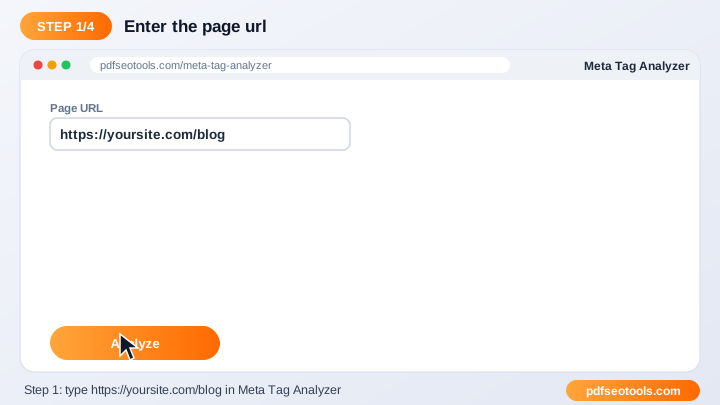
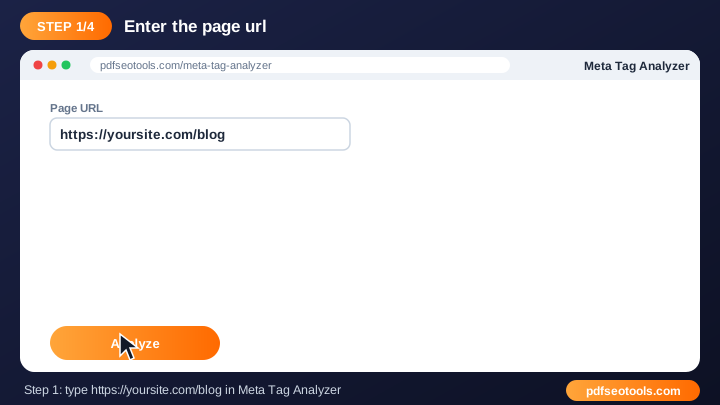
- Enter your page URL or fill in your page details.
- Click the generate / analyze button.
- Review the meta tags and suggestions.
- Copy the code or fix the issues on your website.
Tags Tools – Quick Reference
| Tag | Recommended length | Purpose |
|---|---|---|
| Title | 50–60 characters | Headline in search results |
| Meta description | 140–155 characters | Snippet under the title |
| OG title | 50–60 characters | Social share headline |
| OG description | 65–120 characters | Social share text |
Why Use Our Meta Tag Tools?
- SEO focused Built around the meta tags search engines actually use.
- Instant output Get results or ready-made code in seconds.
- Free Use the tool as often as you like.
- Beginner friendly Clear guidance even if you are new to SEO.
- Works with any CMS WordPress, Blogger, Laravel, Shopify or hand-coded sites.
- Mobile ready Use it from any device.

Tips for Using Tags Tools
- Keep titles around 50–60 characters and descriptions around 150–160 characters.
- Use your main keyword naturally near the start of the title.
- Write a unique title and description for every page.
- Re-check pages after updating your theme or plugins.
Tags Tools – Worked Example
Example: a page titled 'Home' gets few clicks. Changing the title to 'Free PDF Tools – Merge, Convert & Compress | Brand' and writing a 150-character description that matches the search intent makes the result clearer and more clickable.
Tags Tools Glossary
- Title tag
- The clickable headline shown in search results.
- Meta description
- The short summary that often appears under the title.
- Robots tag
- Tells search engines whether to index a page and follow its links.
- Abrir Graph
- Tags that control how links look on Facebook, WhatsApp and LinkedIn.
- Twitter card
- Tags that control link previews on X (Twitter).
Helpful Guides for Tags Tools
- 📘How to Write Meta Title and Description Tags for SEOWrite meta titles and descriptions that rank and get clicks: ideal length, keyword placement, examples and mistakes to avoid.
- 📘How to Analyze Meta Tags of Any Web PageCheck the title, description, robots, viewport and og:type of any page, spot missing or duplicate tags and learn how to fix them.
Preguntas frecuentes
Are these meta tag tools free?
Sí. Todas las herramientas de esta categoría son gratuitas en pdfseotools.com y no necesitan registro.
¿Funcionan las herramientas en el móvil?
Sí. Funcionan en cualquier navegador moderno en Android, iPhone, Windows y Mac.
¿Están seguros mis datos?
Sí. Las conexiones usan HTTPS y los archivos subidos se eliminan después del procesamiento.
¿Tengo que instalar algún programa o crear una cuenta?
No. Todo funciona en tu navegador en Windows, Mac, Android y iPhone: no hay nada que descargar, nada que instalar ni ninguna cuenta que crear.
¿Hay un límite de uso para estas herramientas?
Puedes usar las herramientas tantas veces como necesites para las tareas diarias normales. Los archivos muy grandes o un uso excesivo pueden limitarse para que el servicio siga siendo rápido para todos.
¿Dónde encuentro más herramientas gratuitas?
Abre el menú o las categorías de pdfseotools.com para ver más de 150 herramientas gratuitas para PDF, imágenes, texto, SEO y desarrollo.