Herramientas de análisis de texto
Herramientas de texto gratis en línea para contar palabras, cambiar mayúsculas, parafrasear, extraer texto de imágenes y dar formato a listas. Resultados al instante sin registro. ¡Pruébalas ya!
- Reescritor de artículos con IA
- Conversor de mayúsculas y minúsculas
- Generador de texto al revés
- JPG a Word
- Conversor de imagen a texto
- Editor de texto en línea
- Conversor de RGB a Hex
- Generador de texto pequeño
- Combinador de palabras
- Conversor de inglés
- Parafraseador
- Contador de palabras
- Separador por comas
- Detector de plagio
- Corrector gramatical
- Detector de contenido de IA
- Humanizador de IA
- Generador de fuentes para Instagram
Herramientas de texto gratis en línea – Cuenta, convierte y reescribe
Herramientas de texto gratis en línea – Cuenta, convierte y reescribe
- 🧰 18 free tools
- 💸 100 % gratis
- 🔓 Sin registro
- 📱 Funciona en cualquier dispositivo
- 🔒 HTTPS seguro
Text tools save time when you write, edit and format content. Count words, change letter case, extract text from images and clean up lists in one click.
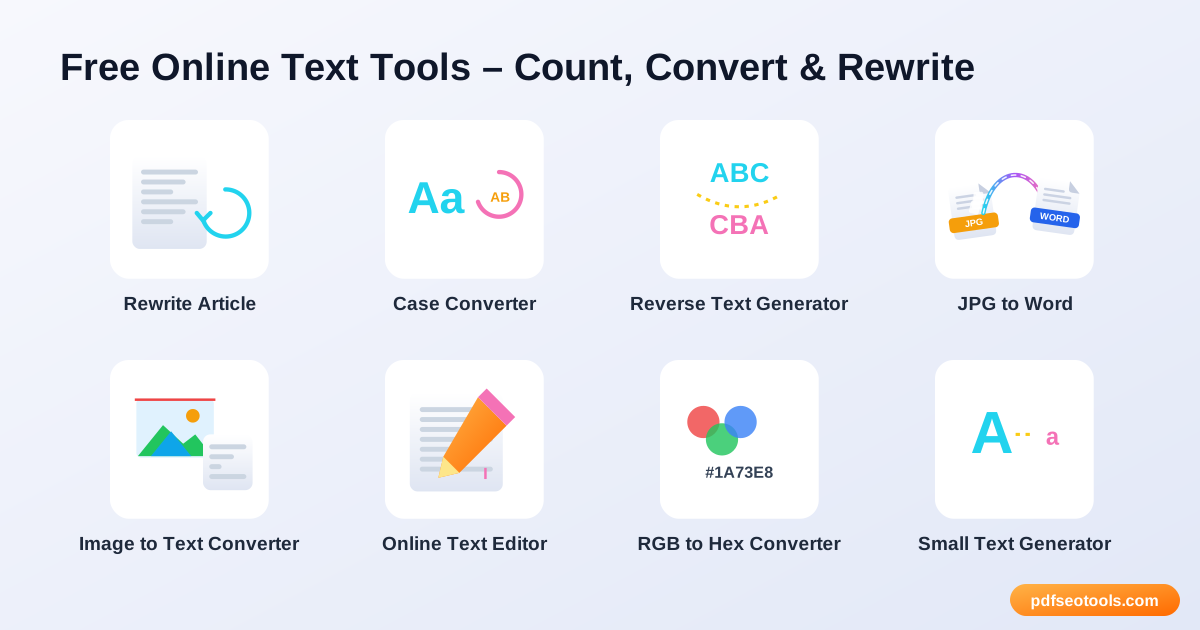

All 18 Free Text Analysis Tools

 Reescritor de artículos con IARewrite articles, paragraphs and sentences online with fresh wording

 Conversor de mayúsculas y minúsculasChange text to UPPERCASE, lowercase, Title Case, Sentence case and more in one click

 Generador de texto al revésReverse text, words or letters instantly

 JPG a WordExtract text from JPG images and convert it into an editable Word document

 Conversor de imagen a textoExtract text from images online with OCR

 Editor de texto en líneaWrite and format text online with a simple, distraction-free editor

 Conversor de RGB a HexConversión: RGB colour values to HEX colour codes instantly

 Generador de texto pequeñoGenerate tiny text, superscript and small caps letters to copy and paste anywhere

 Combinador de palabrasCombine words to create unique names, domain ideas and keyword combinations

 Conversor de inglésConversión: text between English variants and transliterate text into English letters online

 ParafraseadorParaphrase sentences and paragraphs online to express ideas in new words

 Contador de palabrasCount words, characters, sentences and paragraphs instantly

 Separador por comasConversión: lists into comma-separated values and back instantly

 Detector de plagioCheck plagiarism free online

 Corrector gramaticalCheck grammar, spelling, punctuation and clarity free in 30+ languages

 Detector de contenido de IACheck if text is AI-generated or human-written

 Humanizador de IAHumanize AI text free

 Generador de fuentes para InstagramFree Instagram font generator: turn your text into 35+ fancy fonts – bold, italic, script, fraktur, bubble, small caps,...
| Tool | Qué hace | Entrada / Ideal para |
|---|---|---|
| Reescritor de artículos con IA | Rewrite articles, paragraphs and sentences online with fresh wording | text → result |
| Conversor de mayúsculas y minúsculas | Change text to UPPERCASE, lowercase, Title Case, Sentence case and more in one click | text → result |
| Generador de texto al revés | Reverse text, words or letters instantly | text → result |
| JPG a Word | Extract text from JPG images and convert it into an editable Word document | JPG → Word |
| Conversor de imagen a texto | Extract text from images online with OCR | Image → Text |
| Editor de texto en línea | Write and format text online with a simple, distraction-free editor | text → result |
| Conversor de RGB a Hex | Conversión: RGB colour values to HEX colour codes instantly | RGB → Hex |
| Generador de texto pequeño | Generate tiny text, superscript and small caps letters to copy and paste anywhere | text → result |
| Combinador de palabras | Combine words to create unique names, domain ideas and keyword combinations | text → result |
| Conversor de inglés | Conversión: text between English variants and transliterate text into English letters online | text → result |
| Parafraseador | Paraphrase sentences and paragraphs online to express ideas in new words | text → result |
| Contador de palabras | Count words, characters, sentences and paragraphs instantly | text → result |
| Separador por comas | Conversión: lists into comma-separated values and back instantly | text → result |
| Detector de plagio | Check plagiarism free online | text, file or URL → plagiarism report |
| Corrector gramatical | Check grammar, spelling, punctuation and clarity free in 30+ languages | text → corrected text |
| Detector de contenido de IA | Check if text is AI-generated or human-written | text → AI detection score |
| Humanizador de IA | Humanize AI text free | AI text → humanized text |
| Generador de fuentes para Instagram | Free Instagram font generator: turn your text into 35+ fancy fonts – bold, italic, script, fraktur, bubble, sm... | text → fancy fonts |
Reescritor de artículos con IA
An article rewriter replaces words and restructures sentences while keeping the original meaning. It helps writers refresh old posts and avoid repeating the same phrases.
Abrir Reescritor de artículos con IA →Conversor de mayúsculas y minúsculas
A case converter changes the capitalisation of text automatically. It saves time when text was typed with Caps Lock on or needs a consistent style for titles.
Abrir Conversor de mayúsculas y minúsculas →Generador de texto al revés
A reverse text generator flips the order of characters or words. It is popular for games, riddles, creative usernames and testing software.
Abrir Generador de texto al revés →JPG a Word
JPG to Word uses OCR (Optical Character Recognition) to read text in an image and place it into a DOCX file that you can edit.
Abrir JPG a Word →How to Use Our Text Analysis Tools
- Type or paste your text into the input box (or upload a file where supported).
- Choose the option you need from the tool settings.
- Click the main button to process the text.
- Copy the result with one click or download it.


Text Analysis Tools – Quick Reference
| Case style | Example | Common use |
|---|---|---|
| UPPERCASE | HOW TO USE SEO TOOLS | Warnings, buttons |
| lowercase | how to use seo tools | URLs, tags |
| Title Case | How To Use Seo Tools | Headings |
| Estilo oración | How to use seo tools | Normal sentences |
Why Use Our Text Tools?
- Resultados al instante El texto se procesa en segundos.
- Gratis La herramienta tool no requiere registro ni suscripción.
- Interfaz sencilla Un diseño claro que cualquiera puede usar sin formación.
- Copiar y descargar Lleva el resultado rápidamente a tu documento, CMS o correo.
- Works everywhere Use it on desktop, tablet or mobile.
- Privacy respected Your text is not published or stored for public use.

Tips for Using Text Analysis Tools
- Proofread the final text before publishing it.
- Break long content into smaller parts for more accurate processing.
- Keep a copy of your original text before making changes.
- Combine this tool with our Word Counter and Case Converter for complete editing.
Text Analysis Tools – Worked Example
Example: a meta description should stay under about 155 characters. Paste the draft into the Word Counter, check the character count, shorten it if needed, then use the Case Converter to fix any capitalisation before publishing.
Text Analysis Tools Glossary
- Word count
- The number of words separated by spaces in a text.
- Character count
- The number of letters, numbers, spaces and symbols.
- Title case
- Capitalising the first letter of each major word.
- Paraphrasing
- Expressing the same meaning with different words.
- OCR
- Recognising printed text inside an image so it can be copied.
Helpful Guides for Text Analysis Tools
- 📘How to Count Words and Characters for Essays and SEOCount words, characters, sentences, reading and speaking time for essays, SEO titles, meta descriptions and social posts – with common limits.
- 📘How to Extract Text from an Image (OCR) OnlineCopy text from photos, screenshots and scanned pages with free online OCR. Tips for sharper results and how to handle handwriting.
- 📘How to Change Text Case: UPPERCASE, lowercase and Title CaseConvert text to Sentence case, UPPERCASE, lowercase, Capitalize Each Word or toggle case in one click – and which style fits headings and titles.
- 📘8 Free Online Text Tools for Writers and StudentsEight free text tools for writers and students: word counter, case converter, paraphraser, text from image and more – all in the browser.
Preguntas frecuentes
Are these text tools free?
Sí. Todas las herramientas de esta categoría son gratuitas en pdfseotools.com y no necesitan registro.
¿Funcionan las herramientas en el móvil?
Sí. Funcionan en cualquier navegador moderno en Android, iPhone, Windows y Mac.
¿Están seguros mis datos?
Sí. Las conexiones usan HTTPS y los archivos subidos se eliminan después del procesamiento.
¿Tengo que instalar algún programa o crear una cuenta?
No. Todo funciona en tu navegador en Windows, Mac, Android y iPhone: no hay nada que descargar, nada que instalar ni ninguna cuenta que crear.
¿Hay un límite de uso para estas herramientas?
Puedes usar las herramientas tantas veces como necesites para las tareas diarias normales. Los archivos muy grandes o un uso excesivo pueden limitarse para que el servicio siga siendo rápido para todos.
¿Dónde encuentro más herramientas gratuitas?
Abre el menú o las categorías de pdfseotools.com para ver más de 150 herramientas gratuitas para PDF, imágenes, texto, SEO y desarrollo.