Find DNS Record
𝐐𝐮𝐢𝐜𝐤𝐥𝐲 𝐟𝐢𝐧𝐝 𝐭𝐡𝐞 𝐝𝐨𝐦𝐚𝐢𝐧'𝐬 𝐃𝐍𝐒 𝐫𝐞𝐜𝐨𝐫𝐝𝐬. 𝐒𝐢𝐦𝐩𝐥𝐢𝐟𝐲 𝐲𝐨𝐮𝐫 𝐃𝐍𝐒 𝐫𝐞𝐜𝐨𝐫𝐝 𝐬𝐞𝐚𝐫𝐜𝐡 𝐩𝐫𝐨𝐜𝐞𝐬𝐬 𝐰𝐢𝐭𝐡 𝐏𝐃𝐅 𝐒𝐄𝐎 𝐓𝐨𝐨𝐥𝐬 𝐭𝐨𝐝𝐚𝐲.
Share on Social Media:
Find DNS Record
Ever wondered how the internet actually "finds" a website? It’s not magic—it’s the Domain Name System (DNS). If your website were a house, the DNS would be its address in the town directory. For webmasters, SEO professionals, and site owners, ensuring this address is correct is critical. If your DNS records are messy or slow, your site’s visibility (and Google ranking) can take a serious hit.
Whether you are debugging a site migration, setting up a new server, or just trying to figure out why your email isn't landing, you need to be able to find and verify your DNS records quickly.
What Are DNS Records?
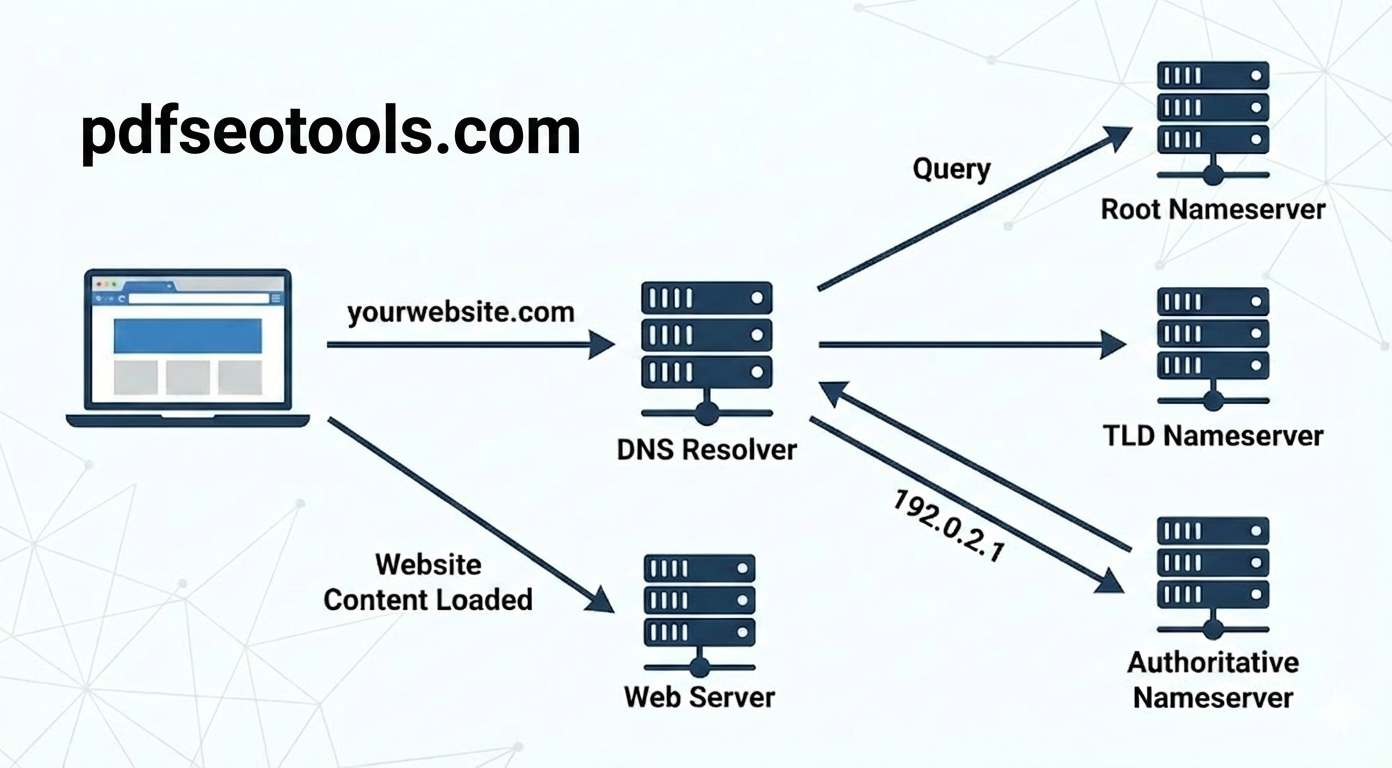
Think of DNS records as a set of instructions stored in a zone file on a DNS server. They tell the internet how to handle requests for your domain. When a user types yourwebsite.com, these records map that human-readable name to an IP address (like 192.0.2.1) that computers understand.
The following diagram illustrates this process, showing how your computer's request is routed through various servers to finally connect you to the website you want to visit.
But it’s not just about finding the website. DNS records control:
Where your website lives (A Records).
Where your email goes (MX Records).
Who is allowed to send email on your behalf (TXT/SPF Records).
Where subdomains point (CNAME Records).
Why You Need to Check Your DNS Records
For anyone working with GEO and SEO Tools, monitoring these records is non-negotiable. Here is why:
SEO & Speed: A slow DNS lookup adds latency to your site. Google’s Core Web Vitals care about speed; if your DNS is sluggish, your rankings could suffer.
Server Location (GEO): Your "A Record" points to an IP address, which reveals the geographical location of your server. Hosting your site closer to your audience (verified via DNS) is a key factor in local SEO performance.
Security: Verifying TXT records ensures no one is spoofing your domain or sending spam emails pretending to be you.
How to Find DNS Records Instantly
You don't need to be a command-line wizard to check these details. You can use a dedicated lookup tool to pull every record associated with a domain in seconds.
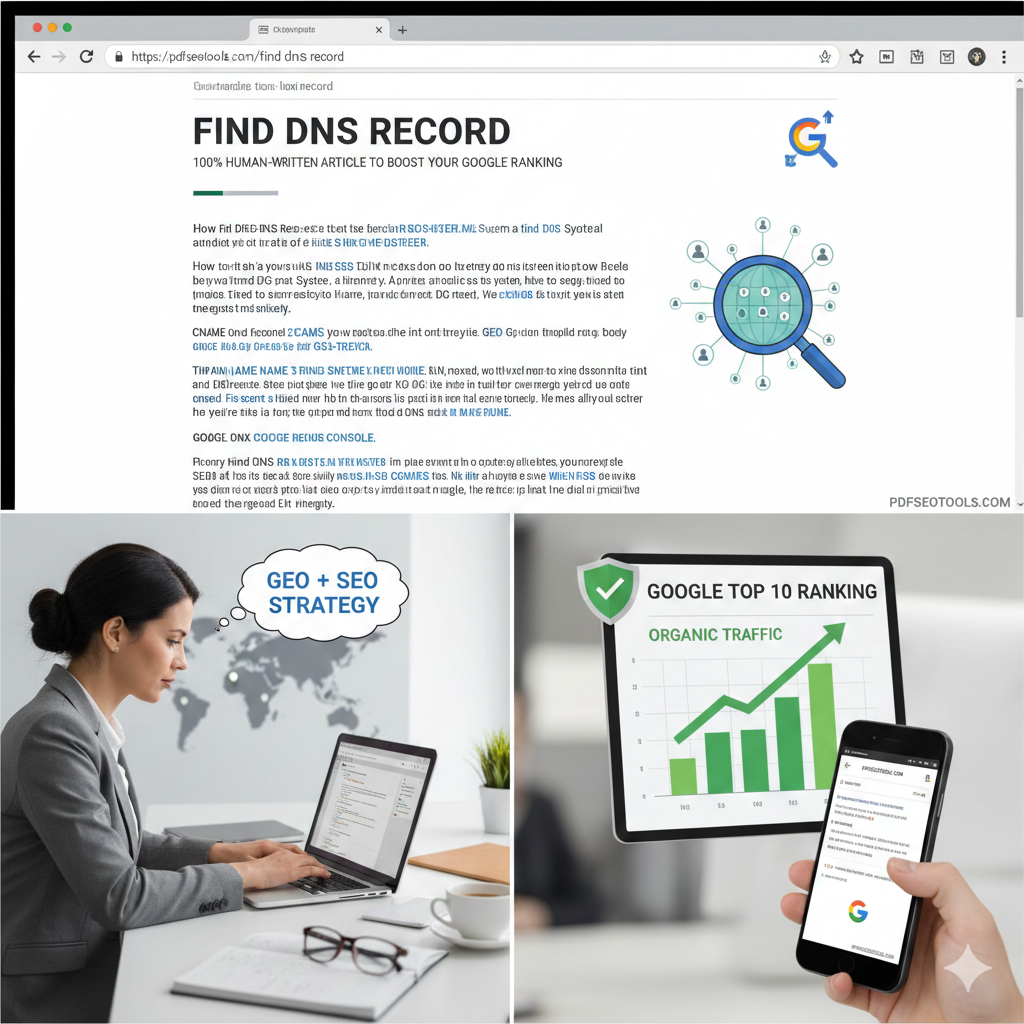
If you need to check your records quickly, I recommend using the Find DNS Record tool. It simplifies the technical data into a clean, readable format, as shown in the image below.
Step-by-Step Guide:
Enter the Domain: simply type the URL (e.g., example.com).
Select Record Type: You can usually choose to find "All" records or look for specific ones like MX or A records.
Analyze the Output: The tool will list the "Class," "Type," and "Value" (destination) for each record, as demonstrated in the screenshot above.
Common DNS Record Types Explained
When you run a search using the Find DNS Record tool, you will see several abbreviations. Here is a cheat sheet to understand them:
A (Address) Record: The most critical record. It points your domain name to the IP address of the hosting server.
CNAME (Canonical Name): An alias. It points one domain (like www.example.com) to another domain (example.com) rather than an IP address.
MX (Mail Exchange): Directs emails to your mail server. If this is wrong, you won’t receive emails.
TXT (Text): Used for verification (like verifying domain ownership with Google Console) and security (SPF/DKIM).
NS (Name Server): Tells the internet which server holds your DNS records.
The Connection Between DNS, GEO, and SEO
In the world of SEO, every millisecond counts. When a user in London clicks your link, a DNS lookup occurs. If your Nameservers are slow or located halfway across the world without proper propagation, the user experiences a delay.
By using a Find DNS Record tool, you can verify that your site is resolving to the correct regional IP address. This confirms that your GEO strategy (hosting location) is correctly implemented, helping you rank better for local search queries.
Frequently Asked Questions (FAQs)
1. Can I check DNS records for a website I don't own? Yes, DNS records are public information. You can use the Find DNS Record tool to view the records of any public domain to analyze their hosting provider or mail setup.
2. How long does it take for DNS changes to show up? It depends on the "TTL" (Time to Live) setting, but typically DNS propagation takes anywhere from a few minutes to 48 hours. Using a lookup tool helps you see if the changes have gone live yet.
3. Why do I have multiple A Records? Large websites often use multiple A records for "load balancing." This distributes traffic across several servers to prevent the site from crashing during high traffic.
4. What happens if my DNS records are incorrect? If your A record is wrong, your website will go offline (users will see a "Site can't be reached" error). If your MX records are wrong, you will stop receiving emails immediately.
5. Does DNS affect my Google Ranking? Indirectly, yes. Slow DNS lookups increase page load time, which is a ranking factor. Additionally, frequent DNS errors (downtime) can cause Google to de-index your pages because its bots cannot access your content.