इमेज टूल्स
JPG, PNG, WEBP, SVG, HEIC और AVIF इमेज को कंप्रेस, रीसाइज़, एडिट और कन्वर्ट करने के लिए मुफ़्त ऑनलाइन इमेज टूल्स। हाई क्वालिटी और बिना साइन-अप। अभी आज़माएं!
- PNG से JPG कन्वर्टर
- JPG से PNG रूपांतरक
- WEBP से PNG रूपांतरक
- PNG से WEBP कन्वर्टर
- रिवर्स इमेज सर्च
- टेक्स्ट से इमेज
- JPG कन्वर्टर
- फ़ेविकॉन जनरेटर
- इमेज कंप्रेसर
- इमेज रीसाइज़र
- मीम जनरेटर
- वीडियो से GIF कन्वर्टर
- SVG कन्वर्टर
- PNG से SVG
- JPG से SVG
- HEIC से JPG
- HEIC से PNG
- AVIF से JPG
- AVIF से PNG
- SVG से JPG
- SVG से PNG
- AI इमेज डिटेक्टर
- चेहरे का आकार डिटेक्टर
मुफ़्त ऑनलाइन इमेज टूल्स – कन्वर्ट, रीसाइज़ और कंप्रेस करें
मुफ़्त ऑनलाइन इमेज टूल्स – कन्वर्ट, रीसाइज़ और कंप्रेस करें
- 🧰 23 free tools
- 💸 100% मुफ़्त
- 🔓 साइन-अप की ज़रूरत नहीं
- 📱 हर डिवाइस पर काम करता है
- 🔒 सुरक्षित HTTPS
Image tools help you convert formats, shrink file sizes, resize photos and create graphics such as favicons and memes. Optimised images make websites faster and uploads easier.


All 23 Free Image Tools

 PNG से JPG कन्वर्टरPNG images to JPG online to reduce file size कन्वर्ट करें

 JPG से PNG कन्वर्टरJPG images to PNG format online for free कन्वर्ट करें

 रिवर्स इमेज सर्चFree reverse image search: upload, paste, crop or enter an image URL and search Google Lens, Bing, Yandex and TinEye to...

 टेक्स्ट से इमेजtext into an image online कन्वर्ट करें

 JPG कन्वर्टरimages from PNG, WEBP, GIF, BMP and more into JPG format online कन्वर्ट करें

 फ़ेविकॉन जनरेटरCreate a favicon for your website from any image in seconds

 इमेज कंप्रेसरCompress JPG, PNG and WEBP images online without visible quality loss

 इमेज रीसाइज़रResize images to exact pixel dimensions or percentages online

 मीम जनरेटरMake memes online in seconds

 WEBP से PNG कन्वर्टरWEBP images to PNG online कन्वर्ट करें

 PNG से WEBP कन्वर्टरPNG images to WEBP to make them much smaller for the web कन्वर्ट करें

 वीडियो से GIF कन्वर्टरTurn short video clips into animated GIFs online

 SVG कन्वर्टरimages to and from SVG online कन्वर्ट करें

 PNG से SVGPNG images into scalable SVG vector files online कन्वर्ट करें

 JPG से SVGJPG images into scalable SVG vector files online कन्वर्ट करें

 HEIC से JPGiPhone HEIC photos to JPG online so they open on Windows, Android and any website कन्वर्ट करें

 HEIC से PNGiPhone HEIC photos to PNG online so they open on Windows, Android and any website कन्वर्ट करें

 AVIF से JPGAVIF images to JPG format online for wider compatibility कन्वर्ट करें

 AVIF से PNGAVIF images to PNG format online for wider compatibility कन्वर्ट करें

 SVG से JPGSVG vector files into JPG images online कन्वर्ट करें

 SVG से PNGSVG vector files into PNG images online कन्वर्ट करें

 AI इमेज डिटेक्टरFree AI image detector: find out if a photo was made by Midjourney, DALL-E, ChatGPT, Stable Diffusion, Firefly or a GAN,...

 चेहरे का आकार डिटेक्टरFree AI face shape detector: upload a selfie to find if your face is oblong, oval, round, square, heart, diamond or tria...
| टूल | यह क्या करता है | इनपुट / किसके लिए सबसे अच्छा |
|---|---|---|
| PNG से JPG कन्वर्टर | PNG images to JPG online to reduce file size कन्वर्ट करें | Png → JPG |
| JPG से PNG कन्वर्टर | JPG images to PNG format online for free कन्वर्ट करें | JPG → PNG |
| रिवर्स इमेज सर्च | Free reverse image search: upload, paste, crop or enter an image URL and search Google Lens, Bing, Yandex and... | अपलोड करें, ड्रैग और ड्रॉप करें, पेस्ट करें या फोटो लें |
| टेक्स्ट से इमेज | text into an image online कन्वर्ट करें | Text → Image |
| JPG कन्वर्टर | images from PNG, WEBP, GIF, BMP and more into JPG format online कन्वर्ट करें | Making images compatible everywhere |
| फ़ेविकॉन जनरेटर | Create a favicon for your website from any image in seconds | एक नई वेबसाइट की ब्रांडिंग |
| इमेज कंप्रेसर | Compress JPG, PNG and WEBP images online without visible quality loss | वेबसाइटों को तेज़ करना |
| इमेज रीसाइज़र | Resize images to exact pixel dimensions or percentages online | सरकारी फ़ॉर्म के लिए फ़ोटो का आकार बदलना |
| मीम जनरेटर | Make memes online in seconds | मज़ेदार पोस्ट बनाना |
| WEBP से PNG कन्वर्टर | WEBP images to PNG online कन्वर्ट करें | WEBP → PNG |
| PNG से WEBP कन्वर्टर | PNG images to WEBP to make them much smaller for the web कन्वर्ट करें | PNG → WEBP |
| वीडियो से GIF कन्वर्टर | Turn short video clips into animated GIFs online | Video → GIF |
| SVG कन्वर्टर | images to and from SVG online कन्वर्ट करें | लोगो को रिस्पॉन्सिव बनाना |
| PNG से SVG | PNG images into scalable SVG vector files online कन्वर्ट करें | PNG → SVG |
| JPG से SVG | JPG images into scalable SVG vector files online कन्वर्ट करें | JPG → SVG |
| HEIC से JPG | iPhone HEIC photos to JPG online so they open on Windows, Android and any website कन्वर्ट करें | HEIC → JPG |
| HEIC से PNG | iPhone HEIC photos to PNG online so they open on Windows, Android and any website कन्वर्ट करें | HEIC → PNG |
| AVIF से JPG | AVIF images to JPG format online for wider compatibility कन्वर्ट करें | AVIF → JPG |
| AVIF से PNG | AVIF images to PNG format online for wider compatibility कन्वर्ट करें | AVIF → PNG |
| SVG से JPG | SVG vector files into JPG images online कन्वर्ट करें | SVG → JPG |
| SVG से PNG | SVG vector files into PNG images online कन्वर्ट करें | SVG → PNG |
| AI इमेज डिटेक्टर | Free AI image detector: find out if a photo was made by Midjourney, DALL-E, ChatGPT, Stable Diffusion, Firefly... | image → AI likelihood report |
| चेहरे का आकार डिटेक्टर | Free AI face shape detector: upload a selfie to find if your face is oblong, oval, round, square, heart, diamo... | front-facing photo → face shape result |
PNG से JPG कन्वर्टर
PNG files can be very large, especially for photos. JPG uses smart compression to make files much smaller while keeping them looking good, which speeds up websites.
PNG से JPG कन्वर्टर खोलें →JPG से PNG कन्वर्टर
PNG is a lossless format, so it does not add new compression artefacts each time you save. It is preferred for graphics, text images and further editing.
JPG से PNG कन्वर्टर खोलें →रिवर्स इमेज सर्च
Reverse Image Search lets you search the web using an image instead of keywords. Upload, drag, paste or take a photo, or enter an image URL, then search it on Google Lens, Bing Visual Search, Yandex Images and TinEye in one click.
रिवर्स इमेज सर्च खोलें →टेक्स्ट से इमेज
Text to Image turns words into a picture file. Images with text stand out on social media and can be shared where plain text cannot be styled.
टेक्स्ट से इमेज खोलें →How to Use Our Image Tools
- Upload your image by clicking the upload box or dragging the file onto it.
- Adjust the available settings such as size, quality or output format.
- Click the action button to start processing.
- Preview the result and download the new image to your device.
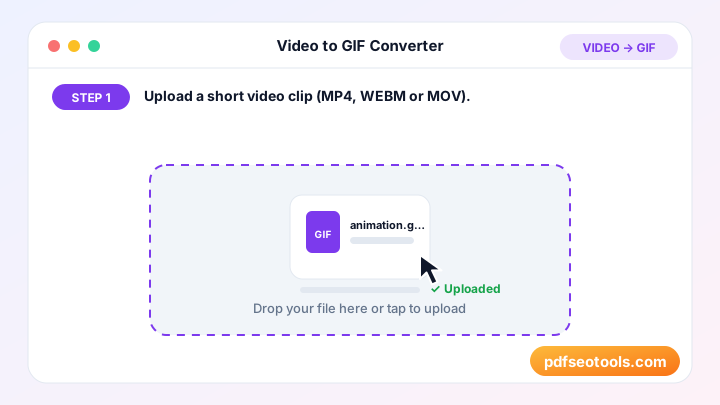
Image Tools – Quick Reference
| प्रारूप | Compression | पारदर्शिता | इसके लिए सर्वश्रेष्ठ |
|---|---|---|---|
| JPG | Lossy | नहीं | तस्वीरें |
| PNG | Lossless | हाँ | Screenshots, logos |
| WEBP | Lossy or lossless | हाँ | Websites |
| SVG | Vector | हाँ | Logos and icons |
| HEIC | Lossy (efficient) | हाँ | iPhone photos |
| AVIF | Lossy (very efficient) | हाँ | Modern websites |
Why Use Our Image Tools?
- मुफ़्त और असीमित tool से बिना किसी खर्च के इमेज एडिट और कन्वर्ट करें।
- हाई-क्वालिटी आउटपुट स्मार्ट प्रोसेसिंग रंगों और बारीकियों को साफ़ रखती है।
- ब्राउज़र में चलता है Photoshop या किसी डेस्कटॉप ऐप की ज़रूरत नहीं – यह किसी भी ब्राउज़र में चलता है।
- मोबाइल फ्रेंडली इसे Android और iPhone पर उतनी ही आसानी से इस्तेमाल करें जितना PC पर।
- Privacy first Your images are not shared and are cleared from our server after use.
- लोकप्रिय फ़ॉर्मैट जहाँ ज़रूरी हो, JPG, PNG, WEBP, SVG, GIF और अन्य आम फ़ॉर्मैट सपोर्ट करता है।

Tips for Using Image Tools
- Start with the highest-resolution image you have.
- Use WEBP or compressed JPG for websites to improve page speed.
- Use PNG when you need a transparent background.
- Add descriptive file names and alt text when you upload images to your site for better image SEO.
Image Tools – Worked Example
Example: a 5 MB photo from a phone is uploaded to a blog post and slows the page down. Resizing it to 1200 px wide and converting it to WEBP can reduce it to well under 200 KB while it still looks sharp on screen, which makes the page load noticeably faster.
Image Tools Glossary
- Resolution
- The number of pixels in an image, for example 1920 × 1080.
- Lossy compression
- Removes some image data to make files smaller (JPG, lossy WEBP).
- Lossless compression
- Shrinks files without losing any image data (PNG).
- Aspect ratio
- The relationship between width and height, such as 16:9 or 1:1.
- Alt text
- A short text description of an image used by screen readers and search engines.
Helpful Guides for Image Tools
- 📘How to Compress Images for a Faster WebsiteShrink JPG and PNG images so pages load faster. Ideal file sizes, when to resize first and when to switch to WEBP for better speed.
- 📘How to Convert iPhone HEIC Photos to JPGiPhone photos saved as HEIC won't open everywhere. Convert HEIC to JPG online in seconds and learn how to make your iPhone save JPG instead.
- 📘How to Resize an Image to Exact Pixels OnlineResize any image to exact pixels or a percentage for forms, social media or websites – cropped to fit, never stretched. Free online, step by step.
- 📘JPG vs PNG vs WEBP vs SVG: Which Image Format to Use?JPG, PNG, WEBP or SVG? Compare quality, file size and transparency, and see which image format fits photos, logos and web pages best.
- 📘How to Make a Favicon for Your Website in MinutesCreate a favicon from your logo: get 17 sizes for browsers, iPhone, Android and Windows, then add the right HTML tags to your site in minutes.
- 📘9 Free Online Image Tools for Bloggers and DesignersNine free image tools for bloggers and designers: compress, resize, crop, convert and make favicons online without Photoshop.
अक्सर पूछे जाने वाले प्रश्न
क्या ये इमेज टूल मुफ़्त हैं?
हाँ। इस कैटेगरी का हर टूल pdfseotools.com पर बिना साइन-अप के मुफ़्त है।
क्या टूल्स मोबाइल पर काम करते हैं?
हाँ। ये Android, iPhone, Windows और Mac पर किसी भी आधुनिक ब्राउज़र में काम करते हैं।
क्या मेरा डेटा सुरक्षित है?
हाँ। कनेक्शन HTTPS इस्तेमाल करते हैं और अपलोड की गई फ़ाइलें प्रोसेसिंग के बाद हटा दी जाती हैं।
क्या मुझे कोई सॉफ़्टवेयर इंस्टॉल करना या अकाउंट बनाना होगा?
नहीं। सब कुछ आपके वेब ब्राउज़र में Windows, Mac, Android और iPhone पर चलता है – न कुछ डाउनलोड करना है, न इंस्टॉल करना है और न कोई अकाउंट बनाना है।
क्या इन टूल्स के इस्तेमाल की कोई सीमा है?
आप रोज़मर्रा के सामान्य कामों के लिए टूल्स जितनी बार चाहें इस्तेमाल कर सकते हैं। सभी के लिए सेवा तेज़ रखने हेतु बहुत बड़ी फ़ाइलों या अत्यधिक इस्तेमाल पर सीमा हो सकती है।
और मुफ़्त टूल्स कहाँ मिलेंगे?
PDF, इमेज, टेक्स्ट, SEO और डेवलपमेंट के 150+ मुफ़्त टूल्स देखने के लिए pdfseotools.com पर मेनू या कैटेगरी खोलें।