वेबसाइट मैनेजमेंट टूल्स
SEO स्कोर, XML साइटमैप, रीडायरेक्ट, HTTP हेडर, QR कोड, मिनिफ़ायर और मोबाइल टेस्ट के लिए मुफ़्त वेबमास्टर टूल्स। तेज़, मुफ़्त और इस्तेमाल में आसान।
- वेबसाइट SEO स्कोर चेकर
- वेबसाइट स्क्रीनशॉट जनरेटर
- ऑनलाइन HTML व्यूअर
- WordPress थीम डिटेक्टर
- HTTP हेडर देखें
- Htaccess रीडायरेक्ट
- मोबाइल फ्रेंडली टेस्ट
- AdSense कैलकुलेटर
- स्क्रीन रेज़ोल्यूशन सिम्युलेटर
- Twitter कार्ड जनरेटर
- Open Graph जनरेटर
- XML फ़ॉर्मैटर
- HTML मिनिफ़ायर
- JavaScript मिनिफ़ायर
- CSS मिनिफ़ायर
- ऑनलाइन पिंग वेबसाइट टूल
- URL ओपनर
- URL एनकोडर डिकोडर
- Base64 एनकोड डिकोड
- QR कोड जनरेटर
- XML साइटमैप जनरेटर
- HTML एडिटर
- बल्क ईमेल वैलिडेटर
- Bilibili वीडियो डाउनलोडर
- Dailymotion वीडियो डाउनलोडर
मुफ़्त वेबमास्टर टूल्स – SEO, साइटमैप और स्पीड
मुफ़्त वेबमास्टर टूल्स – SEO, साइटमैप और स्पीड
- 🧰 25 free tools
- 💸 100% मुफ़्त
- 🔓 साइन-अप की ज़रूरत नहीं
- 📱 हर डिवाइस पर काम करता है
- 🔒 सुरक्षित HTTPS
Webmaster tools help you build, optimise and maintain a website – from SEO audits and sitemaps to redirects, minification and QR codes.


All 25 Free Website Management Tools

 WordPress थीम डिटेक्टरFind out which WordPress theme and plugins any website is using

 Twitter कार्ड जनरेटरGenerate Twitter (X) Card meta tags so your links show a rich preview with image, title and description

 Open Graph जनरेटरCreate Open Graph meta tags for perfect link previews on Facebook, WhatsApp, LinkedIn and more

 ऑनलाइन HTML व्यूअरView and test HTML code online with a live preview

 XML फ़ॉर्मैटरFormat and beautify XML online with proper indentation

 वेबसाइट SEO स्कोर चेकरCheck the SEO score of any website for free and get a detailed report with fixes

 वेबसाइट स्क्रीनशॉट जनरेटरCapture full screenshots of any website online in seconds

 ऑनलाइन पिंग वेबसाइट टूलPing your website and notify search engines and blog directories about new content

 URL एनकोडर डिकोडरEncode and decode URLs online

 Base64 एनकोड डिकोडEncode text to Base64 and decode Base64 back to text online

 QR कोड जनरेटरCreate free QR codes for URLs, text, Wi-Fi, phone numbers and more

 HTML एडिटरWrite, edit and preview HTML online with a live editor

 HTML मिनिफ़ायरMinify HTML code to reduce page size and speed up your website

 JavaScript मिनिफ़ायरMinify JavaScript code online to make files smaller and faster to load

 CSS मिनिफ़ायरMinify CSS code online to reduce stylesheet size and improve page speed

 URL ओपनरmultiple URLs at once in new tabs with one click खोलें

 XML साइटमैप जनरेटरGenerate an XML sitemap for your website and help Google crawl all your pages

 HTTP हेडर देखेंCheck the HTTP response headers of any URL – status code, cache, security and redirect headers

 Htaccess रीडायरेक्टGenerate .htaccess redirect rules for www, non-www and HTTPS

 मोबाइल फ्रेंडली टेस्टTest whether your website is mobile friendly and see how it looks on phones

 AdSense कैलकुलेटरEstimate your Google AdSense earnings based on page views, CTR and CPC

 स्क्रीन रेज़ोल्यूशन सिम्युलेटरPreview your website at different screen resolutions and device sizes

 बल्क ईमेल वैलिडेटरValidate email addresses in bulk to check syntax and domain mail servers

 Bilibili वीडियो डाउनलोडरDownload Bilibili videos online by pasting the video link

 Dailymotion वीडियो डाउनलोडरDownload Dailymotion videos online by pasting the video URL
| टूल | यह क्या करता है | इनपुट / किसके लिए सबसे अच्छा |
|---|---|---|
| WordPress थीम डिटेक्टर | Find out which WordPress theme and plugins any website is using | URL or code → result |
| Twitter कार्ड जनरेटर | Generate Twitter (X) Card meta tags so your links show a rich preview with image, title and description | URL or code → result |
| Open Graph जनरेटर | Create Open Graph meta tags for perfect link previews on Facebook, WhatsApp, LinkedIn and more | URL or code → result |
| ऑनलाइन HTML व्यूअर | View and test HTML code online with a live preview | URL or code → result |
| XML फ़ॉर्मैटर | Format and beautify XML online with proper indentation | URL or code → result |
| वेबसाइट SEO स्कोर चेकर | Check the SEO score of any website for free and get a detailed report with fixes | URL or code → result |
| वेबसाइट स्क्रीनशॉट जनरेटर | Capture full screenshots of any website online in seconds | URL or code → result |
| ऑनलाइन पिंग वेबसाइट टूल | Ping your website and notify search engines and blog directories about new content | URL or code → result |
| URL एनकोडर डिकोडर | Encode and decode URLs online | URL or code → result |
| Base64 एनकोड डिकोड | Encode text to Base64 and decode Base64 back to text online | URL or code → result |
| QR कोड जनरेटर | Create free QR codes for URLs, text, Wi-Fi, phone numbers and more | URL or code → result |
| HTML एडिटर | Write, edit and preview HTML online with a live editor | URL or code → result |
| HTML मिनिफ़ायर | Minify HTML code to reduce page size and speed up your website | URL or code → result |
| JavaScript मिनिफ़ायर | Minify JavaScript code online to make files smaller and faster to load | URL or code → result |
| CSS मिनिफ़ायर | Minify CSS code online to reduce stylesheet size and improve page speed | URL or code → result |
| URL ओपनर | multiple URLs at once in new tabs with one click खोलें | URL or code → result |
| XML साइटमैप जनरेटर | Generate an XML sitemap for your website and help Google crawl all your pages | URL or code → result |
| HTTP हेडर देखें | Check the HTTP response headers of any URL – status code, cache, security and redirect headers | URL or code → result |
| Htaccess रीडायरेक्ट | Generate .htaccess redirect rules for www, non-www and HTTPS | URL or code → result |
| मोबाइल फ्रेंडली टेस्ट | Test whether your website is mobile friendly and see how it looks on phones | URL or code → result |
| AdSense कैलकुलेटर | Estimate your Google AdSense earnings based on page views, CTR and CPC | URL or code → result |
| स्क्रीन रेज़ोल्यूशन सिम्युलेटर | Preview your website at different screen resolutions and device sizes | URL or code → result |
| बल्क ईमेल वैलिडेटर | Validate email addresses in bulk to check syntax and domain mail servers | URL or code → result |
| Bilibili वीडियो डाउनलोडर | Download Bilibili videos online by pasting the video link | URL or code → result |
| Dailymotion वीडियो डाउनलोडर | Download Dailymotion videos online by pasting the video URL | URL or code → result |
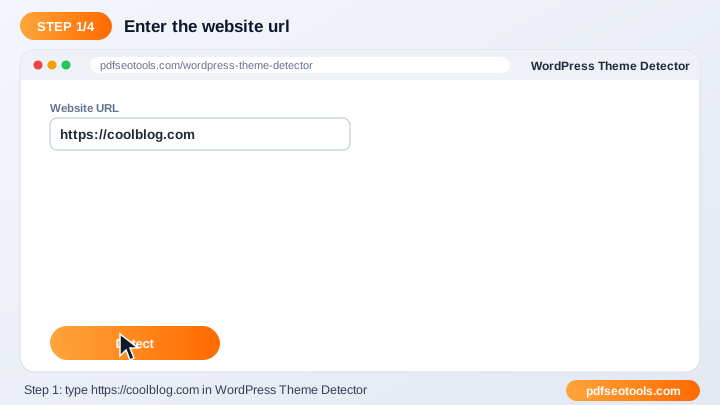
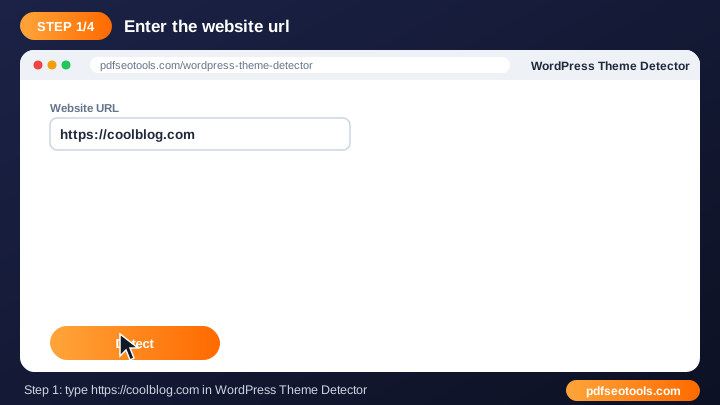
WordPress थीम डिटेक्टर
The detector scans a site's public source code to identify the WordPress theme name, author and visible plugins – handy when you like a design.
WordPress थीम डिटेक्टर खोलें →Twitter कार्ड जनरेटर
Twitter Cards control how your page looks when shared on X. A rich card with an image gets more clicks than a plain link.
Twitter कार्ड जनरेटर खोलें →Open Graph जनरेटर
Graph tags (og:title, og:image, og:description) tell social platforms what to display when someone shares your URL. खोलें
Open Graph जनरेटर खोलें →ऑनलाइन HTML व्यूअर
An HTML viewer renders your code in the browser so you can see how it looks without creating files or a server.
ऑनलाइन HTML व्यूअर खोलें →How to Use Our Website Management Tools
- Enter the URL, code or details requested by the tool.
- Select any options shown on the page.
- Click the main button to run the tool.
- Review, copy or download the result.
Website Management Tools – Quick Reference
| Status code | Meaning | SEO effect |
|---|---|---|
| 200 | OK – page loaded | Indexable |
| 301 | Moved permanently | Passes ranking signals |
| 302 | Moved temporarily | Original URL kept |
| 404 | Not found | Remove or redirect |
| 500 | Server error | Fix quickly |
Why Use Our Webmaster Tools?
- वेबमास्टर्स के लिए बना वेबसाइट के रोज़मर्रा के काम एक ही जगह हल करता है।
- तेज़ परिणाम सेकंडों में आउटपुट या रिपोर्ट पाएं।
- मुफ़्त tool को बिना किसी खर्च के इस्तेमाल करें।
- कोई तकनीकी सेटअप नहीं आज़माने के लिए किसी प्लगइन या सर्वर एक्सेस की ज़रूरत नहीं।
- Works on any device Desktop, tablet and mobile supported.
- SEO फ्रेंडली तेज़, साफ़ और बेहतर ऑप्टिमाइज़ की गई वेबसाइट बनाने में मदद करता है।

Tips for Using Website Management Tools
- Test changes on a staging site before going live.
- Keep a backup of files before you replace them.
- Re-run the tool after every major update.
- Combine it with our SEO Score Checker for a complete audit.
Website Management Tools – Worked Example
Example: a site can be opened at four addresses – http, https, with and without www. Adding a 301 redirect in .htaccess sends every version to https://www.yoursite.com, so search engines see one preferred URL instead of four duplicates.
Website Management Tools Glossary
- Sitemap
- An XML file listing the URLs you want search engines to crawl.
- 301 redirect
- A permanent redirect that passes ranking signals to the new URL.
- Minification
- Removing unnecessary characters from code to reduce size.
- HTTP headers
- Information a server sends with every response, such as status and caching.
- Core Web Vitals
- Google's page experience metrics for loading, interactivity and visual stability.
Helpful Guides for Website Management Tools
- 📘How to Create an XML Sitemap and Submit It to GoogleBuild an XML sitemap for your website, check it for errors and submit it to Google Search Console so new pages get found and indexed faster.
- 📘How to Check Your Website SEO Score and Improve ItCheck your site's SEO score for free, understand each issue in the report and fix the ones that matter most for higher Google rankings.
- 📘How to Redirect HTTP to HTTPS and www Using .htaccessForce HTTPS and your chosen www or non-www version with one 301 rule in .htaccess – free generator, copy-paste code and how to test it.
- 📘How to Create a QR Code for a Link, Menu or Business CardMake a free QR code for a link, menu, contact card, email or SMS. Tips on size, colours, logos and testing before you print it.
- 📘How to Minify HTML, CSS and JavaScript to Speed Up Your SiteMinify HTML, CSS and JavaScript to cut file size and speed up page loads. What minification removes, when to use it and how to test it.
- 📘12 Free Webmaster Tools Every Website Owner NeedsTwelve free webmaster tools for every site owner: SEO audit, sitemap, robots.txt, redirects, SSL and speed checks in one place.
अक्सर पूछे जाने वाले प्रश्न
क्या ये वेबमास्टर टूल मुफ़्त हैं?
हाँ। इस कैटेगरी का हर टूल pdfseotools.com पर बिना साइन-अप के मुफ़्त है।
क्या टूल्स मोबाइल पर काम करते हैं?
हाँ। ये Android, iPhone, Windows और Mac पर किसी भी आधुनिक ब्राउज़र में काम करते हैं।
क्या मेरा डेटा सुरक्षित है?
हाँ। कनेक्शन HTTPS इस्तेमाल करते हैं और अपलोड की गई फ़ाइलें प्रोसेसिंग के बाद हटा दी जाती हैं।
क्या मुझे कोई सॉफ़्टवेयर इंस्टॉल करना या अकाउंट बनाना होगा?
नहीं। सब कुछ आपके वेब ब्राउज़र में Windows, Mac, Android और iPhone पर चलता है – न कुछ डाउनलोड करना है, न इंस्टॉल करना है और न कोई अकाउंट बनाना है।
क्या इन टूल्स के इस्तेमाल की कोई सीमा है?
आप रोज़मर्रा के सामान्य कामों के लिए टूल्स जितनी बार चाहें इस्तेमाल कर सकते हैं। सभी के लिए सेवा तेज़ रखने हेतु बहुत बड़ी फ़ाइलों या अत्यधिक इस्तेमाल पर सीमा हो सकती है।
और मुफ़्त टूल्स कहाँ मिलेंगे?
PDF, इमेज, टेक्स्ट, SEO और डेवलपमेंट के 150+ मुफ़्त टूल्स देखने के लिए pdfseotools.com पर मेनू या कैटेगरी खोलें।