画像ツール
JPG、PNG、WEBP、SVG、HEIC、AVIF画像を圧縮・リサイズ・編集・変換できる無料オンライン画像ツール。高品質で登録不要です。今すぐお試しください!
無料オンライン画像ツール – 変換、リサイズ、圧縮
無料オンライン画像ツール – 変換、リサイズ、圧縮
- 🧰 23 free tools
- 💸 100%無料
- 🔓 登録不要
- 📱 どの端末でも使える
- 🔒 安全なHTTPS
Image tools help you convert formats, shrink file sizes, resize photos and create graphics such as favicons and memes. Optimised images make websites faster and uploads easier.


All 23 Free Image Tools

 PNGからJPGへの変換PNG images to JPG online to reduce file sizeで変換

 JPGからPNGへの変換JPG images to PNG format online for freeで変換

 画像の逆検索Free reverse image search: upload, paste, crop or enter an image URL and search Google Lens, Bing, Yandex and TinEye to...

 テキストから画像へtext into an image onlineで変換

 JPG変換images from PNG, WEBP, GIF, BMP and more into JPG format onlineで変換

 ファビコンジェネレーターCreate a favicon for your website from any image in seconds

 画像圧縮Compress JPG, PNG and WEBP images online without visible quality loss

 画像リサイズResize images to exact pixel dimensions or percentages online

 ミームジェネレーターMake memes online in seconds

 WEBPからPNGへの変換WEBP images to PNG onlineで変換

 PNGからWEBPへの変換PNG images to WEBP to make them much smaller for the webで変換

 動画からGIFへの変換Turn short video clips into animated GIFs online

 SVG変換images to and from SVG onlineで変換

 PNGからSVGへPNG images into scalable SVG vector files onlineで変換

 JPGからSVGへJPG images into scalable SVG vector files onlineで変換

 HEICからJPGへiPhone HEIC photos to JPG online so they open on Windows, Android and any websiteで変換

 HEICからPNGへiPhone HEIC photos to PNG online so they open on Windows, Android and any websiteで変換

 AVIFからJPGへAVIF images to JPG format online for wider compatibilityで変換

 AVIFからPNGへAVIF images to PNG format online for wider compatibilityで変換

 SVGからJPGへSVG vector files into JPG images onlineで変換

 SVGからPNGへSVG vector files into PNG images onlineで変換

 AI画像検出Free AI image detector: find out if a photo was made by Midjourney, DALL-E, ChatGPT, Stable Diffusion, Firefly or a GAN,...

 顔の形診断Free AI face shape detector: upload a selfie to find if your face is oblong, oval, round, square, heart, diamond or tria...
| Tool | できること | 入力 / 最適な用途 |
|---|---|---|
| PNGからJPGへの変換 | PNG images to JPG online to reduce file sizeで変換 | Png → JPG |
| JPGからPNGへの変換 | JPG images to PNG format online for freeで変換 | JPG → PNG |
| 画像の逆検索 | Free reverse image search: upload, paste, crop or enter an image URL and search Google Lens, Bing, Yandex and... | アップロード、ドラッグ&ドロップ、貼り付け、または写真を撮る |
| テキストから画像へ | text into an image onlineで変換 | Text → Image |
| JPG変換 | images from PNG, WEBP, GIF, BMP and more into JPG format onlineで変換 | Making images compatible everywhere |
| ファビコンジェネレーター | Create a favicon for your website from any image in seconds | 新しいウェブサイトのブランディング |
| 画像圧縮 | Compress JPG, PNG and WEBP images online without visible quality loss | Speeding up websites |
| 画像リサイズ | Resize images to exact pixel dimensions or percentages online | Resizing photos for government forms |
| ミームジェネレーター | Make memes online in seconds | 面白い投稿を作成 |
| WEBPからPNGへの変換 | WEBP images to PNG onlineで変換 | WEBP → PNG |
| PNGからWEBPへの変換 | PNG images to WEBP to make them much smaller for the webで変換 | PNG → WEBP |
| 動画からGIFへの変換 | Turn short video clips into animated GIFs online | Video → GIF |
| SVG変換 | images to and from SVG onlineで変換 | Making logos responsive |
| PNGからSVGへ | PNG images into scalable SVG vector files onlineで変換 | PNG → SVG |
| JPGからSVGへ | JPG images into scalable SVG vector files onlineで変換 | JPG → SVG |
| HEICからJPGへ | iPhone HEIC photos to JPG online so they open on Windows, Android and any websiteで変換 | HEIC → JPG |
| HEICからPNGへ | iPhone HEIC photos to PNG online so they open on Windows, Android and any websiteで変換 | HEIC → PNG |
| AVIFからJPGへ | AVIF images to JPG format online for wider compatibilityで変換 | AVIF → JPG |
| AVIFからPNGへ | AVIF images to PNG format online for wider compatibilityで変換 | AVIF → PNG |
| SVGからJPGへ | SVG vector files into JPG images onlineで変換 | SVG → JPG |
| SVGからPNGへ | SVG vector files into PNG images onlineで変換 | SVG → PNG |
| AI画像検出 | Free AI image detector: find out if a photo was made by Midjourney, DALL-E, ChatGPT, Stable Diffusion, Firefly... | image → AI likelihood report |
| 顔の形診断 | Free AI face shape detector: upload a selfie to find if your face is oblong, oval, round, square, heart, diamo... | front-facing photo → face shape result |
PNGからJPGへの変換
PNG files can be very large, especially for photos. JPG uses smart compression to make files much smaller while keeping them looking good, which speeds up websites.
PNGからJPGへの変換を開く →JPGからPNGへの変換
PNG is a lossless format, so it does not add new compression artefacts each time you save. It is preferred for graphics, text images and further editing.
JPGからPNGへの変換を開く →画像の逆検索
Reverse Image Search lets you search the web using an image instead of keywords. Upload, drag, paste or take a photo, or enter an image URL, then search it on Google Lens, Bing Visual Search, Yandex Images and TinEye in one click.
画像の逆検索を開く →テキストから画像へ
Text to Image turns words into a picture file. Images with text stand out on social media and can be shared where plain text cannot be styled.
テキストから画像へを開く →How to Use Our Image Tools
- Upload your image by clicking the upload box or dragging the file onto it.
- Adjust the available settings such as size, quality or output format.
- Click the action button to start processing.
- Preview the result and download the new image to your device.
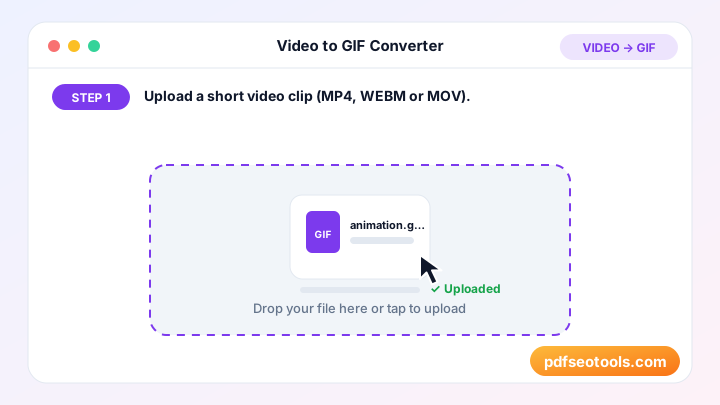
Image Tools – Quick Reference
| Format | Compression | 透明度 | Best for |
|---|---|---|---|
| JPG | Lossy | いいえ | Photos |
| PNG | Lossless | はい | Screenshots, logos |
| WEBP | Lossy or lossless | はい | Websites |
| SVG | Vector | はい | Logos and icons |
| HEIC | Lossy (efficient) | はい | iPhone photos |
| AVIF | Lossy (very efficient) | はい | Modern websites |
Why Use Our Image Tools?
- 無料・無制限 toolで画像を無料で編集・変換できます。
- 高品質な出力 スマートな処理で色やディテールを鮮明に保ちます。
- ブラウザで動作 Photoshopやデスクトップアプリは不要 – どのブラウザでも使えます。
- モバイル対応 パソコンと同じように、AndroidやiPhoneでも手軽に使えます。
- Privacy first Your images are not shared and are cleared from our server after use.
- 人気の形式 必要に応じて、JPG、PNG、WEBP、SVG、GIFなどの一般的な形式に対応しています。

Tips for Using Image Tools
- Start with the highest-resolution image you have.
- Use WEBP or compressed JPG for websites to improve page speed.
- Use PNG when you need a transparent background.
- Add descriptive file names and alt text when you upload images to your site for better image SEO.
Image Tools – Worked Example
Example: a 5 MB photo from a phone is uploaded to a blog post and slows the page down. Resizing it to 1200 px wide and converting it to WEBP can reduce it to well under 200 KB while it still looks sharp on screen, which makes the page load noticeably faster.
Image Tools Glossary
- Resolution
- The number of pixels in an image, for example 1920 × 1080.
- Lossy compression
- Removes some image data to make files smaller (JPG, lossy WEBP).
- Lossless compression
- Shrinks files without losing any image data (PNG).
- Aspect ratio
- The relationship between width and height, such as 16:9 or 1:1.
- Alt text
- A short text description of an image used by screen readers and search engines.
Helpful Guides for Image Tools
- 📘How to Compress Images for a Faster WebsiteShrink JPG and PNG images so pages load faster. Ideal file sizes, when to resize first and when to switch to WEBP for better speed.
- 📘How to Convert iPhone HEIC Photos to JPGiPhone photos saved as HEIC won't open everywhere. Convert HEIC to JPG online in seconds and learn how to make your iPhone save JPG instead.
- 📘How to Resize an Image to Exact Pixels OnlineResize any image to exact pixels or a percentage for forms, social media or websites – cropped to fit, never stretched. Free online, step by step.
- 📘JPG vs PNG vs WEBP vs SVG: Which Image Format to Use?JPG, PNG, WEBP or SVG? Compare quality, file size and transparency, and see which image format fits photos, logos and web pages best.
- 📘How to Make a Favicon for Your Website in MinutesCreate a favicon from your logo: get 17 sizes for browsers, iPhone, Android and Windows, then add the right HTML tags to your site in minutes.
- 📘9 Free Online Image Tools for Bloggers and DesignersNine free image tools for bloggers and designers: compress, resize, crop, convert and make favicons online without Photoshop.
よくある質問
Are these image tools free?
はい。このカテゴリーのツールはすべてpdfseotools.comで無料、登録不要で使えます。
ツールはスマートフォンで使えますか?
はい。Android、iPhone、Windows、Macの最新ブラウザで動作します。
データは安全ですか?
はい。通信はHTTPSで保護され、アップロードしたファイルは処理後に削除されます。
ソフトのインストールやアカウント作成は必要ですか?
いいえ。Windows、Mac、Android、iPhoneのウェブブラウザですべて動作します – ダウンロードもインストールも、アカウント作成も必要ありません。
これらのツールの利用回数に制限はありますか?
日常的な作業であれば、ツールは何度でも使えます。すべての方に快適に使っていただくため、非常に大きなファイルや過度な利用は制限される場合があります。
他の無料ツールはどこにありますか?
pdfseotools.comのメニューやカテゴリーを開くと、PDF、画像、テキスト、SEO、開発向けの150以上の無料ツールを見られます。