Инструменты для проверки сайта
Бесплатная проверка SSL-сертификатов, битых ссылок, сжатия GZIP, кэша Google, MozRank и того, как сайт видит поисковый робот. Быстро находите и исправляйте SEO-проблемы.
Бесплатная проверка сайтов – SSL, ссылки и сканирование
Бесплатная проверка сайтов – SSL, ссылки и сканирование
- 🧰 7 free tools
- 💸 100% бесплатно
- 🔓 Без регистрации
- 📱 Работает на любом устройстве
- 🔒 Безопасный HTTPS
Website checkers find technical problems – expired SSL, broken links, missing compression and content crawlers cannot read.


All 7 Free Website Tracking Tools

 Проверка MozrankCheck the MozRank and link popularity metrics of any website

 Проверка кэша GoogleCheck the cache and indexing status of your web pages

 Проверка сжатия GZIPCheck whether GZIP or Brotli compression is enabled on your website

 Проверка SSLCheck the SSL certificate of any website – issuer, validity and expiry date

 Симулятор поискового роботаSee your web page the way a search engine crawler sees it

 Какой у меня браузерFind out which browser, version, operating system and screen resolution you are using

 Проверка битых ссылок на сайтеFind broken links (404 errors) on your website for free
| Tool | Что делает | Ввод / Лучше всего для |
|---|---|---|
| Проверка Mozrank | Check the MozRank and link popularity metrics of any website | website URL → report |
| Проверка кэша Google | Check the cache and indexing status of your web pages | website URL → report |
| Проверка сжатия GZIP | Check whether GZIP or Brotli compression is enabled on your website | website URL → report |
| Проверка SSL | Check the SSL certificate of any website – issuer, validity and expiry date | website URL → report |
| Симулятор поискового робота | See your web page the way a search engine crawler sees it | website URL → report |
| Какой у меня браузер | Find out which browser, version, operating system and screen resolution you are using | website URL → report |
| Проверка битых ссылок на сайте | Find broken links (404 errors) on your website for free | website URL → report |
Проверка Mozrank
MozRank is a link popularity score on a 0–10 scale based on the quantity and quality of links pointing to a page.
Открыть «Проверка Mozrank» →Проверка кэша Google
Cache and index checks show whether search engines have saved a copy of your page and when it was last crawled.
Открыть «Проверка кэша Google» →Проверка сжатия GZIP
Compression shrinks HTML, CSS and JS before sending them to visitors. Enabling it can reduce transfer size dramatically and improve page speed.
Открыть «Проверка сжатия GZIP» →Проверка SSL
An SSL certificate enables HTTPS, encrypting data between visitors and your site. HTTPS is a Google ranking signal and builds trust.
Открыть «Проверка SSL» →How to Use Our Website Tracking Tools
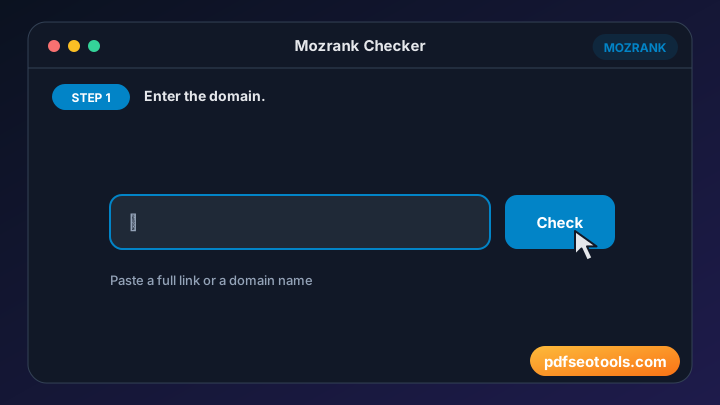
- Enter the website URL in the box.
- Click the check button.
- Wait a few seconds while the page is analysed.
- Read the results and fix any problems that are found.

Website Tracking Tools – Quick Reference
| Check | Healthy result | Why it matters |
|---|---|---|
| SSL | Valid, not expired | Trust and HTTPS ranking signal |
| Compression | GZIP or Brotli on | Faster pages |
| Links | No 404 errors | Better user experience |
| Crawlability | Text readable by bots | Content can be indexed |
Why Use Our Website Checkers?
- Технический SEO-аудит Находите проблемы, которые могут ухудшить позиции и удобство для пользователей.
- Быстрый отчёт Результаты готовы за секунды.
- Бесплатно Пользуйтесь инструментом «tool» сколько угодно.
- Без входа в аккаунт Начните проверку сразу.
- Любой сайт Работает с WordPress, Blogger, самописными сайтами и интернет-магазинами.
- Device friendly Run checks from desktop or mobile.

Tips for Using Website Tracking Tools
- Check both the www and non-www versions of your site.
- Fix critical errors first, then warnings.
- Re-test after each change to confirm the fix.
- Run regular checks as part of your monthly SEO routine.
Website Tracking Tools – Worked Example
Example: an old blog post links to a page that was deleted. A broken link checker finds the 404; you either update the link to a relevant live page or add a 301 redirect, so visitors and crawlers no longer hit a dead end.
Website Tracking Tools Glossary
- SSL/TLS certificate
- Enables HTTPS and encrypts data between visitors and your site.
- 404 error
- A page or link that cannot be found.
- GZIP / Brotli
- Compression methods that shrink files sent by the server.
- Crawler (spider)
- A bot that reads pages for a search engine.
- Index
- The database of pages a search engine can show in results.
Helpful Guides for Website Tracking Tools
- 📘How to Check an SSL Certificate and Fix 'Not Secure'Check if an SSL certificate is valid, who issued it and when it expires, and fix the browser's 'Not Secure' warning on your website.
- 📘How to Find and Fix Broken Links on Your WebsiteFind broken links on your website, understand 404 and other errors, and fix them with redirects or updates to protect SEO and users.
- 📘How Search Engine Spiders See Your Page (and Why It Matters)See your page the way Googlebot sees it: which text, links and tags crawlers read, what they skip and how that affects indexing.
Часто задаваемые вопросы
Are these website checkers free?
Да. Каждый инструмент этой категории бесплатен на pdfseotools.com и не требует регистрации.
Работают ли инструменты на телефоне?
Да. Они работают в любом современном браузере на Android, iPhone, Windows и Mac.
Безопасны ли мои данные?
Да. Соединения защищены HTTPS, а загруженные файлы удаляются после обработки.
Нужно ли устанавливать программу или создавать аккаунт?
Нет. Всё работает в браузере на Windows, Mac, Android и iPhone – ничего не нужно скачивать, устанавливать и не нужно создавать аккаунт.
Есть ли ограничение на частоту использования этих инструментов?
Вы можете пользоваться инструментами сколько угодно для обычных повседневных задач. Очень большие файлы или чрезмерное использование могут ограничиваться, чтобы сервис оставался быстрым для всех.
Где найти другие бесплатные инструменты?
Откройте меню или категории на pdfseotools.com, чтобы найти более 150 бесплатных инструментов для PDF, изображений, текста, SEO и разработки.