Reverse Image Search
𝐘𝐨𝐮 𝐜𝐚𝐧 𝐬𝐞𝐚𝐫𝐜𝐡 𝐟𝐨𝐫 𝐚𝐧 𝐢𝐦𝐚𝐠𝐞 𝐛𝐲 𝐮𝐩𝐥𝐨𝐚𝐝𝐢𝐧𝐠 + 𝐰𝐢𝐭𝐡 𝐔𝐑𝐋 𝐨𝐫 𝐭𝐲𝐩𝐢𝐧𝐠 𝐭𝐡𝐞 𝐤𝐞𝐲𝐰𝐨𝐫𝐝 𝐨𝐫 𝐚𝐧𝐲 𝐰𝐨𝐫𝐝 𝐲𝐨𝐮 𝐰𝐚𝐧𝐭 𝐭𝐨 𝐞𝐱𝐩𝐥𝐨𝐫𝐞 𝐫𝐞𝐥𝐚𝐭𝐞𝐝 𝐭𝐨 𝐢𝐦𝐚𝐠𝐞𝐬.
Share on Social Media:
Reverse Image Search: Uncover the Story Behind Any Image
In today's visual digital landscape, we encounter thousands of images daily through social media, websites, and messaging apps. But what happens when you find a picture and need to know its origin, verify its authenticity, or discover where else it appears online? This is where reverse image search becomes an essential tool for everyone, from casual users to professionals.
At PDFSEOTools.com, we provide a sophisticated yet easy-to-use Reverse Image Search tool that delivers comprehensive results in seconds. Our free platform helps you uncover the complete story behind any image, providing valuable insights and protecting your digital assets.
About the reverse image search tools
This tool saves time when you are doing a reverse image search. It creates links to the most popular reverse photo search engines: Google, Bing, Yandex, Tineye, Baidu, and Sogou.

We also support specialized searches like anime and manga search engines and KarmaDecay for Reddit.
You can also find similar images to the one you are searching for in the most popular free stock photo sites like Pixabay, Unsplash, Pexels, Reshot, StockSnap, ISORepublic, Burst, FreeStocks.org, Flickr, and PicJumbo that are indexed by Google.
How to Perform a Reverse Image Search in 3 Simple Steps
Upload Your Image
Visit our Reverse Image Search tool and upload your image by dragging and dropping or selecting from your device
Initiate Search
Click the "Search" button to begin scanning the web for matches and similar images
Analyze Results
Review the comprehensive results showing exact matches, similar images, and websites where your image appears
How Does Reverse Image Search Work?
The magic behind reverse image search lies in Content-Based Image Retrieval (CBIR), also known as query by image content. Here's a simplified breakdown of the process:
Feature Extraction: When you upload an image, sophisticated algorithms analyze it to extract unique visual features. This includes colors, textures, shapes, patterns, and, in advanced systems, specific objects or even faces.
Database Comparison: The extracted "digital fingerprint" of your image is then compared against billions of images in the databases of major search engines.
Result Generation: The tool then presents you with a list of results, showing you the web pages where the image is found, other sizes and formats of the same image, and visually similar pictures.
Our tool at PDFSEOTools enhances this process by integrating multiple search engines, giving you the broadest possible set of results from a single query.
Why Use Our Reverse Image Search Tool?
Our free Reverse Image Search tool is designed with the user in mind, offering a suite of powerful features:
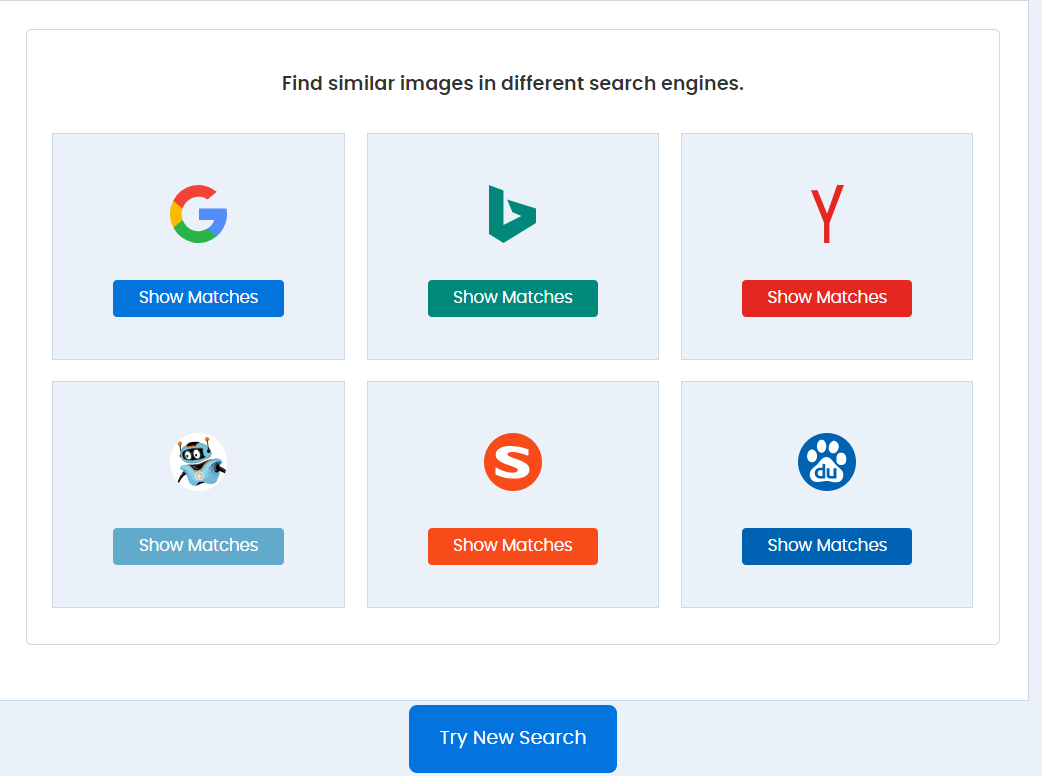
Multi-Engine Integration: Get comprehensive results by searching across top engines like Google, Bing, and Yandex simultaneously. This multi-platform approach ensures you don't miss any critical finds.
Multiple Upload Options: You can search by uploading an image directly from your device, dragging and dropping it, or simply pasting the image URL.
100% Free and Accessible: There are no hidden charges, usage limits, or registration requirements. Our tool is completely free to use.
Privacy-First Processing: Your privacy is paramount. We do not store or share your uploaded images on our servers. All files are processed securely and deleted after your session.
Fast and Accurate Results: Leveraging advanced AI and CBIR technology, our tool delivers quick and highly relevant results in seconds.
Key Benefits and Practical Applications
Reverse image search is far more than a novelty; it's a practical tool with diverse applications for various users:
For Content Creators & Bloggers: Find the original source of an image to give proper attribution, detect if your own photos are being used without permission, and discover higher-quality versions for your blog.
For Photographers & Artists: Protect your creative work and monitor its use online. Identify copyright infringement and find backlink opportunities by requesting attribution from those using your images.
For SEO Professionals & Marketers: Track unauthorized use of your brand's visuals, perform content audits, and find sites using your images to generate valuable backlinks, which can boost your SEO.
For Online Shoppers: Find the original product from an image, compare prices across different retailers, or identify an item you saw in a picture.
For General Users: Verify the authenticity of viral images or memes to combat misinformation, identify a famous landmark, or learn more about an object, animal, or plant by taking its picture.
The table below summarizes how different professionals can benefit from this technology:
| User | Primary Use Case |
|---|---|
| Photographers | Protect intellectual property, track image usage. |
| Journalists | Verify the authenticity of images and spot fake news. |
| Marketers | Monitor brand assets, find backlink opportunities. |
| Designers | Find inspiration and similar design styles. |
| Consumers | Identify products and find better deals online. |
How to Perform a Reverse Image Search in 3 Easy Steps
Using the PDFSEOTools Reverse Image Search is straightforward:
Visit the Tool: Go to our Reverse Image Search tool page.
Provide Your Image: Upload a file (JPG, PNG, WEBP) from your computer, drag and drop it, or paste the image URL into the search bar.
Get Results: Click the "Search" button. Within seconds, you will see a list of websites using your image, similar visuals, and the source.
Frequently Asked Questions (FAQs)
1. Is the PDFSEOTools Reverse Image Search tool completely free?
Yes, it is 100% free. There are no hidden charges, no subscription fees, and you don't even need to create an account to use it. You can perform as many searches as you need without any limitations.
2. Are my uploaded images kept private and secure?
Absolutely. We take your privacy very seriously. Uploaded images are processed securely and are not stored on our servers or shared with any third parties. They are automatically deleted after the search is complete.
3. What search engines does your tool use?
Our tool aggregates results from the web's most powerful image search engines, including Google, Bing, and Yandex. This multi-engine approach ensures you get the most comprehensive results possible.
4. Can I use this tool on my mobile phone?
Yes, our Reverse Image Search tool is fully optimized for all devices. It works seamlessly on desktop computers, tablets, and mobile phones (both Android and iOS) through your web browser.
5. How can reverse image search help with SEO?
It is a powerful yet often overlooked SEO tool. You can use it to find websites that are using your images without a backlink. By contacting these site owners and requesting a proper attribution link, you can build high-quality backlinks that improve your site's authority and search engine rankings.
Conclusion
Reverse image search is a gateway to unlocking the vast amount of information tied to the visuals we see online. It empowers you to verify, protect, and discover. Whether you are a professional looking to safeguard your work or a curious mind wanting to learn more about a picture, this tool is for you.
The PDFSEOTools Reverse Image Search tool combines ease of use with powerful, multi-engine technology to deliver the answers you need quickly and securely.