Image Resizer
𝐈𝐦𝐚𝐠𝐞 𝐑𝐞𝐬𝐢𝐳𝐞𝐫 𝐨𝐧𝐥𝐢𝐧𝐞 𝐚𝐥𝐥𝐨𝐰𝐬 𝐲𝐨𝐮 𝐭𝐨 𝐫𝐞𝐬𝐢𝐳𝐞 𝐢𝐦𝐚𝐠𝐞 𝐢𝐧 𝐬𝐞𝐜𝐨𝐧𝐝𝐬. 𝐒𝐢𝐦𝐩𝐥𝐲 𝐔𝐩𝐥𝐨𝐚𝐝 𝐲𝐨𝐮𝐫 𝐩𝐡𝐨𝐭𝐨, 𝐬𝐞𝐭 𝐲𝐨𝐮𝐫 𝐫𝐞𝐪𝐮𝐢𝐫𝐞𝐝 𝐝𝐢𝐦𝐞𝐧𝐬𝐢𝐨𝐧𝐬, 𝐜𝐥𝐢𝐜𝐤 𝐨𝐧 𝐭𝐡𝐞 '𝐑𝐞𝐬𝐢𝐳𝐞 𝐈𝐦𝐚𝐠𝐞' 𝐛𝐮𝐭𝐭𝐨𝐧, 𝐚𝐧𝐝 𝐝𝐨𝐰𝐧𝐥𝐨𝐚𝐝.
Share on Social Media:
Resize online your image easy and fast.
Lorem ipsum dolor sit amet, consectetur adipiscing elit. In malesuada posuere metus a sollicitudin. Nam a felis tellus. Sed tempor at quam sed feugiat. Nunc sodales vel purus vel euismod.

How to use the picture resizer.
Lorem ipsum dolor sit amet, consectetur adipiscing elit. Pellentesque in leo quis neque aliquet interdum. Suspendisse potenti. Nunc aliquet porttitor auctor..

Select
Upload your image for resize.

Resize
Resize image your own.

Download
Download your resized image.
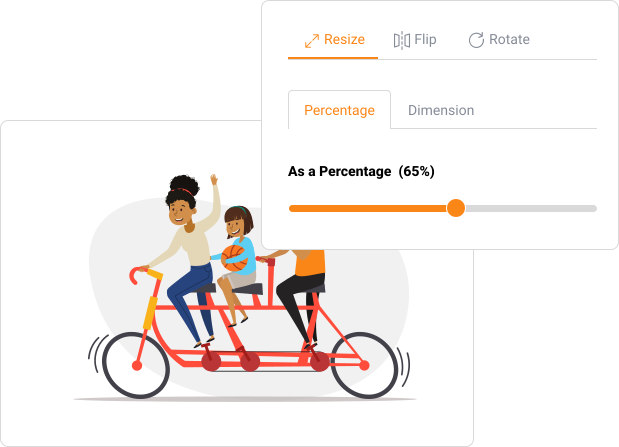
Easy Image Resizing for Any Purpose
Lorem Ipsum is simply dummy text of the printing and typesetting industry. Lorem Ipsum has been the industry's standard dummy text ever since the 1500s, when an unknown printer took a galley of type and scrambled it to make a type specimen book. It has survived not only five centuries, but also the leap into electronic typesetting, remaining essentially unchanged.
It was popularised in the 1960s with the release of Letraset sheets containing Lorem Ipsum passages, and more recently with desktop publishing software like Aldus PageMaker including versions of Lorem Ipsum.
Common Use Cases for Our Image Resizer
Social Media Optimization: Create perfectly sized profile pictures, cover photos, and post images for Facebook, Instagram, Twitter, LinkedIn, and more.
Website & Blog Management: Optimize images for your website's layout, sliders, and blog posts to improve page load speed and user experience.
E-commerce Listings: Standardize product image dimensions across your online store for a clean, professional appearance.
Email Marketing: Resize images to fit newsletter templates without breaking the layout or triggering spam filters due to large file sizes.
Personal Projects: Quickly prepare photos for printing, online portfolios, or forum avatars.

Frequently Asked Questions (FAQs)
1. Will resizing my image reduce its quality?
When enlarging an image significantly, some quality loss is inevitable as the software has to create new pixel data. However, when reducing an image's size, our tool uses high-quality sampling algorithms to maintain as much clarity and sharpness as possible, often resulting in a file that looks just as good as the original.
2. What image formats does the tool support?
Our Image Resizer supports a wide range of common formats, including JPG, PNG, WEBP, GIF, and BMP. You can resize any of these formats without needing to convert them first.
3. What is the aspect ratio, and why is it important?
The aspect ratio is the proportional relationship between an image's width and height (e.g., 16:9, 4:3, 1:1). Maintaining it ensures your image doesn't look stretched (too wide) or squashed (too tall). Our tool allows you to lock it for automatic, distortion-free resizing.
4. Is there a limit to the number of images I can resize?
The tool is designed to be generous for both individual and professional use. While there might be a practical limit for batch processing to ensure server stability for all users, you can resize a significant number of images in one session. For very large batches, we recommend processing them in a few groups.
5. Are my uploaded images safe and private?
Absolutely. Your privacy is our top priority. The image processing happens securely in your browser session. We do not store, share, or access your uploaded or resized images on our servers. Once you close the browser tab, the data is gone.
Resize with Ease, Share with Confidence
Don't let image sizing issues slow you down or compromise your online presence. The Image Resizer from PDFSEOTools.com provides a seamless, powerful, and completely free way to get your visuals pixel-perfect for any platform.
Ready to resize your images? Visit the tool and experience the difference today:
https://pdfseotools.com/image-resizer