JPG to PNG Converter
𝐄𝐥𝐞𝐯𝐚𝐭𝐞 𝐘𝐨𝐮𝐫 𝐕𝐢𝐬𝐮𝐚𝐥𝐬 𝐰𝐢𝐭𝐡 𝐉𝐏𝐆/𝐉𝐏𝐄𝐆 𝐭𝐨 𝐏𝐍𝐆 𝐂𝐨𝐧𝐯𝐞𝐫𝐬𝐢𝐨𝐧𝐬. 𝐅𝐫𝐨𝐦 𝐩𝐫𝐨𝐟𝐞𝐬𝐬𝐢𝐨𝐧𝐚𝐥 𝐠𝐫𝐚𝐩𝐡𝐢𝐜𝐬 𝐭𝐨 𝐬𝐭𝐮𝐧𝐧𝐢𝐧𝐠 𝐯𝐢𝐬𝐮𝐚𝐥𝐬, 𝐞𝐟𝐟𝐨𝐫𝐭𝐥𝐞𝐬𝐬𝐥𝐲 𝐜𝐨𝐧𝐯𝐞𝐫𝐭 𝐲𝐨𝐮𝐫 𝐉𝐏𝐆𝐬 𝐨𝐫 𝐉𝐏𝐄𝐆𝐬 𝐭𝐨 𝐡𝐢𝐠𝐡-𝐪𝐮𝐚𝐥𝐢𝐭𝐲 𝐏𝐍𝐆𝐬
Share on Social Media:
JPG to PNG Converter Online: Get Transparent, High-Quality Images Instantly
In the digital world, images are the universal language that connects us. From social media profiles to professional web design, the right image format can make all the difference between a good presentation and a great one. While JPG is the go-to format for photographs, its lack of transparency support and lossy compression can be limiting for creative projects.

At PDFSEOTools.com, we've developed a sophisticated JPG to PNG Converter that effortlessly bridges this gap. Our free online tool empowers you to instantly transform your JPG images into versatile PNG files, unlocking features like transparent backgrounds and lossless quality—all with just a few clicks.
How to Convert JPG to PNG in Seconds with PDFSEOTools
Forget about complicated software. Our converter makes the process incredibly simple.
Step-by-Step Guide:
Visit the Tool: Navigate to our JPG to PNG Converter.
Step 1: Upload
Click Upload Images to start conversion, or you can drag your JPG images to our website.
Step 2: Convert
Our JPG converter will automatically convert all your JPGs into PNG format in an instant.
Step 3: Download
Click Download All to save all the converted files in a ZIP or choose one of them to download.
What is a JPG to PNG Converter?
A JPG to PNG converter is a specialized tool that transforms JPEG image files into PNG format. This conversion is essential for situations where you need lossless compression, transparency support, or higher image quality than what JPG can provide.
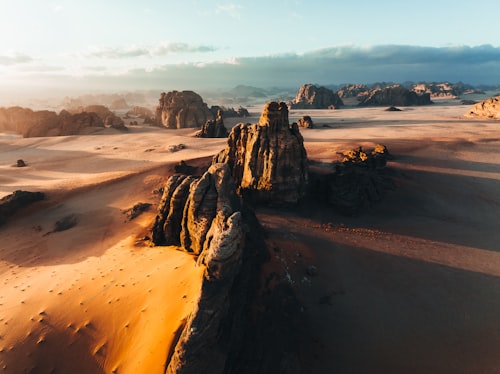
JPG Format (Lossy Compression)
PNG Format (Lossless Compression)
Why Choose the PDFSEOTools JPG to PNG Converter?
Our tool is designed with the user in mind, offering a range of features that set it apart.
100% Free and Accessible: Convert as many images as you need without any cost or hidden fees. No registration is required.
Top-Tier Security and Privacy: We value your privacy. Your uploaded files are processed securely and are automatically deleted from our servers shortly after conversion, ensuring your data never falls into the wrong hands.
Lossless Quality Output: Our conversion algorithm ensures that your resulting PNG file retains the full quality of your original JPG, just with the added benefits of the PNG format.
Fully Web-Based: There is no software to download or install. Our tool works directly in your web browser on any device, including smartphones and tablets.
Optimizing Your Converted PNGs for SEO
Once you have your PNG file, it's important to ensure it works for you online. Here are some quick tips for Image SEO based on industry best practices :
Use Descriptive Filenames: Before converting, give your JPG a descriptive filename (e.g., red-sneakers-logo.jpg). After conversion to PNG, the informative name will help search engines understand your image.
Employ Alt Text: Always add concise, keyword-rich alt text to your PNG images when uploading them to your website. This improves accessibility and helps your images rank in search results.
Mind the File Size: While PNGs are larger than JPGs, consider using image compression tools (that support PNG) to reduce their file size without losing quality, ensuring your web pages load quickly.
Frequently Asked Questions (FAQs)
1. Is it free to use the PDFSEOTools JPG to PNG converter?
Yes, it is completely free! You can convert an unlimited number of JPG images to PNG format without any charges, watermarks, or the need to create an account.
2. Will converting my JPG to PNG improve the image quality?
Converting a JPG to PNG will prevent any future quality loss because PNG is a lossless format. However, it cannot magically restore detail that was already lost during the original JPG compression. It will, though, preserve the current quality perfectly from that point onward.
3. Can I make a JPG background transparent by converting it to PNG?
The conversion process itself does not automatically remove an existing background. Our converter changes the file format to one that supports transparency. To actually remove the background, you would need to use an image editor on the resulting PNG file. However, converting to PNG is the essential first step to make transparency possible.
4. Are my uploaded images safe and private?
Absolutely. Your privacy and security are our top priorities. We do not store, share, or misuse your uploaded images. All files are automatically and permanently deleted from our servers shortly after the conversion is complete, giving you complete peace of mind.
5. What is the main disadvantage of using PNG over JPG?
The primary trade-off is file size. PNG files are typically much larger than JPG files because they use lossless compression to retain all image data. This can impact website loading speeds if not managed properly, which is why PNG is recommended for graphics and JPG for photographs.
Conclusion
Converting JPG to PNG is a simple yet powerful way to elevate your digital images, enabling professional-grade features like transparency and flawless quality retention. Whether you're a designer crafting a logo, a developer building a website, or a social media user creating engaging content, the right format matters.
Don't let format limitations hold your creativity back. Experience the ease and quality of our converter today.