Png to JPG Converter
𝐄𝐚𝐬𝐢𝐥𝐲 𝐜𝐨𝐧𝐯𝐞𝐫𝐭 𝐲𝐨𝐮𝐫 𝐏𝐍𝐆𝐬 𝐢𝐧𝐭𝐨 𝐯𝐞𝐫𝐬𝐚𝐭𝐢𝐥𝐞 𝐉𝐏𝐆𝐬. 𝐒𝐚𝐲 𝐠𝐨𝐨𝐝𝐛𝐲𝐞 𝐭𝐨 𝐜𝐨𝐦𝐩𝐚𝐭𝐢𝐛𝐢𝐥𝐢𝐭𝐲 𝐢𝐬𝐬𝐮𝐞𝐬 𝐚𝐧𝐝 𝐨𝐩𝐭𝐢𝐦𝐢𝐳𝐞 𝐲𝐨𝐮𝐫 𝐢𝐦𝐚𝐠𝐞𝐬 𝐰𝐢𝐭𝐡 𝐨𝐮𝐫 𝐏𝐍𝐆 𝐭𝐨 𝐉𝐏𝐆 𝐂𝐨𝐧𝐯𝐞𝐫𝐭𝐞𝐫 𝐚𝐭 𝐏ᴅꜰ𝐒ᴇᴏ𝐓ᴏᴏʟ𝐬.𝐂ᴏᴍ 𝐄𝐧𝐣𝐨𝐲 𝐟𝐚𝐬𝐭𝐞𝐫 𝐥𝐨𝐚𝐝𝐢𝐧𝐠 𝐭𝐢𝐦𝐞𝐬 𝐚𝐧𝐝 𝐬𝐞𝐚𝐦𝐥𝐞𝐬𝐬 𝐰𝐞𝐛 𝐢𝐧𝐭𝐞𝐠𝐫𝐚𝐭𝐢𝐨𝐧
Share on Social Media:
PNG to JPG Converter Online: Transform Your Images Instantly and Reduce File Size
In today's digital world, managing image files efficiently is crucial for website performance, storage optimization, and seamless sharing. While PNG format excels with its lossless quality and transparency support, JPG format remains the go-to choice for smaller file sizes and web compatibility. Knowing when and how to convert between these formats can significantly improve your digital workflow.
At PDFSEOTools.com, we've developed a sophisticated yet user-friendly PNG to JPG Converter that handles all your image conversion needs instantly. Our free online tool eliminates the need for complicated software installations and provides professional-grade results with just a few clicks.
Understanding PNG vs. JPG: Choosing the Right Format
PNG (Portable Network Graphics)
Best for: Images with transparency, logos, graphics with text, screenshots
Advantages: Lossless compression, supports transparency (alpha channel)
Disadvantages: Larger file sizes compared to JPG
Ideal Use: Web graphics, digital art, images requiring transparent backgrounds
JPG (Joint Photographic Experts Group)
Best for: Photographs, complex images with gradients, web images
Advantages: Excellent compression, smaller file sizes, universal compatibility
Disadvantages: Lossy compression, no transparency support
Ideal Use: Website photos, social media sharing, email attachments
How to Use a PNG to JPG Converter?
- Click the "Select Images" button to upload your PNG image files.
- Choose your desired output format as JPG and adjust the quality or settings.
- Click the "Convert" button to start conversion.
- Click the "Download" button to save your converted images.
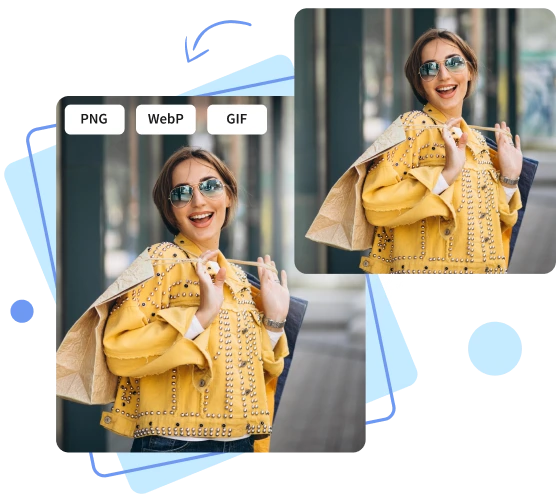
PNG to JPG Bulk Converter
Convert Multiple PNG Files to JPG
With our batch converter, we quickly convert multiple PNG files to JPGs simultaneously. Perfect for professionals who need fast, efficient conversions of large image sets.
Why Convert PNG to JPG? Key Benefits
Converting PNG to JPG offers several practical advantages:
Significant File Size Reduction: JPG compression can reduce file sizes by 50-80% without noticeable quality loss, perfect for website optimization
Universal Compatibility: JPG format is supported by virtually all devices, browsers, and applications
Faster Loading Times: Smaller file sizes mean quicker website loading and better user experience
Efficient Storage: Save valuable storage space on devices and servers
Easy Sharing: Smaller files upload and download faster, making sharing through email and messaging apps more efficient
Social Media Ready: Most social platforms prefer JPG format for optimal display and performance
How to Convert PNG to JPG: Manual vs. Automated Approach
Traditional Manual Methods:
Using desktop software like Photoshop or GIMP
Built-in image editors on operating systems
Mobile apps with conversion capabilities
The Modern Solution: PDFSEOTools Online Converter
Our web-based tool eliminates the complexity of traditional methods and provides instant conversion with superior results.
Why Choose PDFSEOTools PNG to JPG Converter?
Our converter stands out with these exceptional features:
Key Advantages:
Lightning-Fast Processing: Convert multiple images in seconds
High-Quality Output: Advanced algorithms maintain image quality while optimizing file size
100% Free: No hidden costs, watermarks, or usage limits
Batch Processing: Convert multiple PNG files to JPG simultaneously
Privacy Guaranteed: All files are processed securely and deleted automatically
No Installation Required: Works directly in your web browser
Mobile-Friendly: Perfect for converting images on smartphones and tablets
Simple 3-Step Conversion Process:
Upload PNG Files: Drag and drop or select your PNG images
Adjust Settings: Choose quality level (optional)
Download JPG Files: Get your converted images instantly
Frequently Asked Questions (FAQs)
1. Is the PDFSEOTools PNG to JPG converter completely free?
Yes, absolutely! Our converter is 100% free with no hidden charges, watermarks, or registration requirements. You can convert as many images as you need without any limitations.
2. Will converting PNG to JPG reduce image quality?
JPG uses lossy compression, which may cause minimal quality loss. However, our converter uses advanced algorithms to maintain optimal quality while significantly reducing file size. For most purposes, the quality difference is negligible.
3. What happens to transparent backgrounds when converting PNG to JPG? The
JPG format does not support transparency. When converting PNG files with transparent backgrounds, our converter will automatically fill transparent areas with a white background. If you need to maintain transparency, keep your image in PNG format.
4. Is there a limit to the number or size of PNG files I can convert?
Our converter handles multiple files and reasonable file sizes suitable for most personal and professional needs. For extremely large batches or enormous file sizes, we recommend processing in smaller groups for optimal performance.
5. Are my uploaded images secure and private?
Yes! We take privacy seriously. Your uploaded images are processed securely and automatically deleted from our servers after conversion. We do not store, share, or access your files for any other purpose.
Conclusion
Converting PNG to JPG is an essential skill in today's digital landscape, whether you're optimizing website performance, saving storage space, or preparing images for sharing. While both formats have their specific uses, JPG remains the superior choice for photographs and web images where file size matters.
The PDFSEOTools PNG to JPG Converter offers the perfect solution: instant, high-quality conversions with significant file size reduction, all completely free of charge. Its user-friendly interface, batch processing capability, and commitment to privacy make it the ideal choice for professionals and casual users alike.