Image to Text Converter
Extract text from images online with OCR. Copy text from screenshots, scanned documents and photos in seconds. Key features: instant results, free to use, simple interface and copy and download. It is 100% free, works on mobile and desktop and needs no sign-up – just open the tool and start now. Simply add your input, click the button and get your result in seconds.
Share on Social Media:

Image to Text Converter is a free online image to text converter by 𝐏ᴅꜰ𝐒ᴇᴏ𝐓ᴏᴏʟ𝐬.𝐂ᴏᴍ. Extract text from images online with OCR. Copy text from screenshots, scanned documents and photos in seconds.
In short: add your Image, click the button and get your Text in seconds. It works in any browser on mobile and desktop, with no sign-up and no software to install.
How to Use Image to Text Converter (4 Quick Steps)
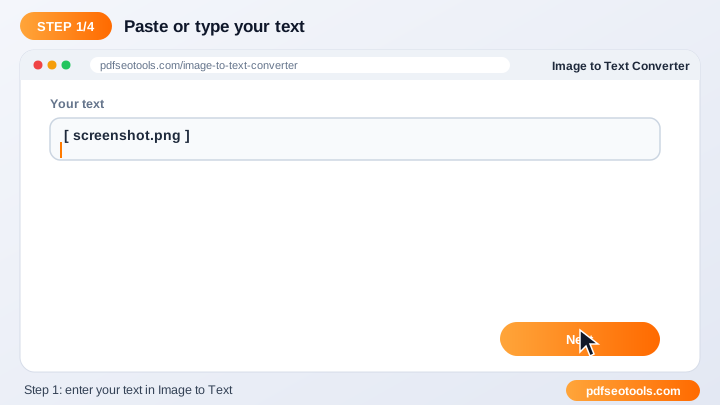
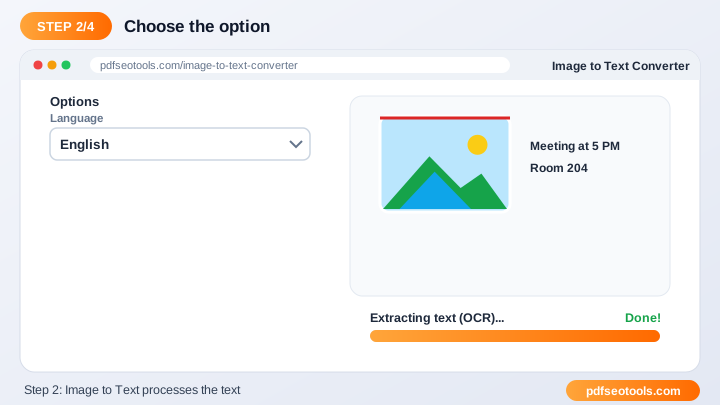
To use the Image to Text Converter, follow these 4 simple steps:
- Step 1: Type or paste your text into the input box (or upload a file where supported).
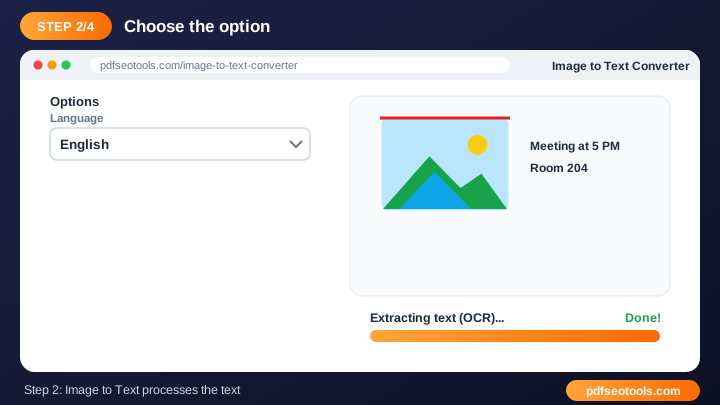
- Step 2: Choose the option you need from the tool settings.
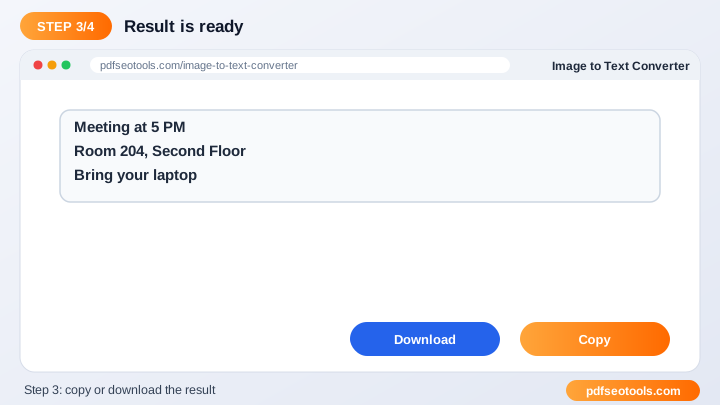
- Step 3: Click the main button to process the text.
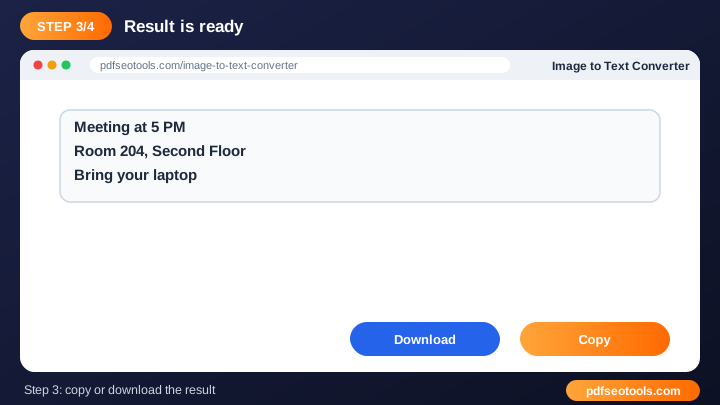
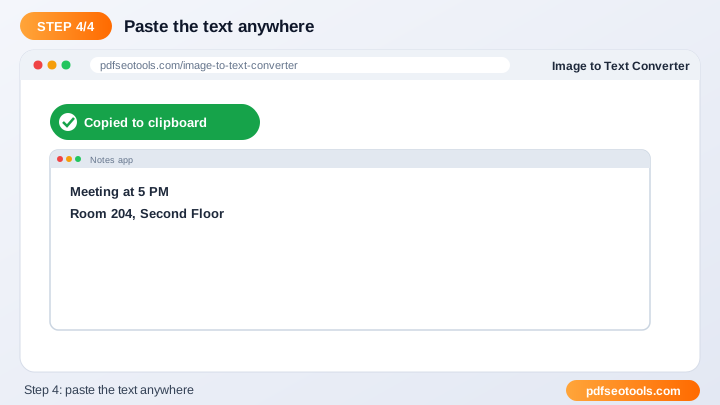
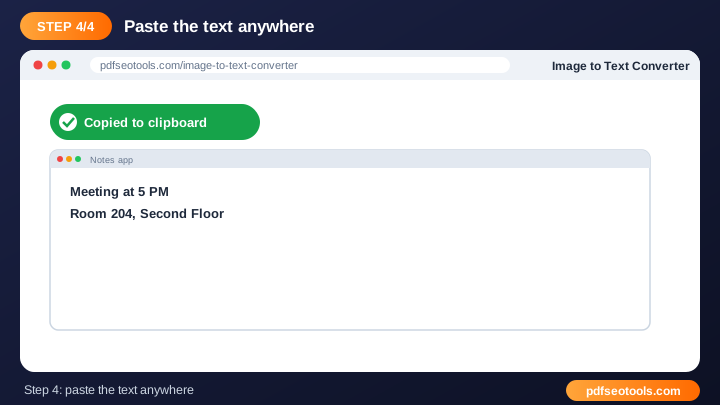
- Step 4: Copy the result with one click or download it.
What is Image to Text Converter?
Image to Text Converter is a browser-based text tool that turns Image into Text without installing any software. Image to Text uses OCR technology to recognise letters in a picture and turn them into editable text that you can copy, search and translate.
Image to Text Converter – Quick Facts
| Feature | Details |
|---|---|
| Tool type | Free online image to text converter |
| Input | Image |
| Output | Text |
| Price | Free – no hidden charges |
| Sign-up required | No |
| Installation | Not required (works in the browser) |
| Supported devices | Windows, macOS, Linux, Android and iPhone |
| Connection | Secure HTTPS |
| Steps to finish | 4 |
How Does Image to Text Converter Work?
Your text is analysed character by character and word by word. The tool applies its rules – counting, converting, rewriting or recognising characters – and returns the processed text instantly so you can copy or download it.
Key Features of Image to Text Converter
- Instant results: Text is processed in seconds.
- Free to use: No sign-up or subscription is required for the Image to Text Converter.
- Simple interface: A clean layout that anyone can use without training.
- Copy and download: Move the result to your document, CMS or email quickly.
- Works everywhere: Use it on desktop, tablet or mobile.
- Privacy respected: Your text is not published or stored for public use.
Image to Text Converter Analytics: Online Tool vs Other Methods
An online image to text converter is faster to start than manual work or desktop software, because there is nothing to download, install or update. The table below summarises the difference.
| Criteria | Manual method | Desktop software | Image to Text Converter |
|---|---|---|---|
| Cost | Your time | Often paid | Free |
| Installation | None | Required | None |
| Works on mobile | Difficult | Limited | Yes |
| Learning curve | High | Medium | Low |
| Updates | — | Manual | Automatic |
Who Uses Image to Text Converter? (Common Use Cases)
Students, bloggers, office workers, business owners and developers use this free text tool for tasks like:
- Copying text from screenshots
- Digitising documents
- Extracting quotes from images
- Making images searchable
Common Problems and How to Fix Them
Strange symbols appear in the result
Paste plain text without special formatting, or copy it through a plain-text editor first.
Text is too long
Split very long text into smaller parts and process them one by one.
Result needs small changes
Always proofread the output and adjust names, numbers and technical terms manually.
Tips for Best Results
- Proofread the final text before publishing it.
- Break long content into smaller parts for more accurate processing.
- Keep a copy of your original text before making changes.
- Combine this tool with our Word Counter and Case Converter for complete editing.
Common Mistakes to Avoid
- Pasting text with hidden formatting from Word or PDFs.
- Publishing rewritten text without proofreading it.
- Processing extremely long text in one go instead of in parts.
- Not keeping a copy of the original text.
Why Use Image to Text Converter on 𝐏ᴅꜰ𝐒ᴇᴏ𝐓ᴏᴏʟ𝐬.𝐂ᴏᴍ?
𝐏ᴅꜰ𝐒ᴇᴏ𝐓ᴏᴏʟ𝐬.𝐂ᴏᴍ gives you a fast, private and free image to text converter with a clean interface and no sign-up. The page is mobile friendly, loads quickly and sits next to many related PDF, image, text and SEO tools, so you can finish your whole workflow in one place.
Related Free Tools
- Online Text Editor – free online online text editor
- RGB to Hex Converter – free online rgb to hex converter
- Small Text Generator – free online small text generator
- Word Combiner – free online word combiner
- English Converter – free online english converter
- Paraphrased – free online paraphrasing tool
Need Help? Website Support
If the Image to Text Converter does not work as expected, refresh the page, use the latest Chrome, Edge, Firefox or Safari, and check that your input is correct. Still need help or want to suggest a new feature? Contact the 𝐏ᴅꜰ𝐒ᴇᴏ𝐓ᴏᴏʟ𝐬.𝐂ᴏᴍ support team.
Frequently Asked Questions (FAQ)
Which images work?
JPG, PNG and other common formats with clear text.
Is it accurate?
Sharp, high-contrast images give the best results.
Is it free?
Yes.
Is the Image to Text Converter safe to use?
Yes. 𝐏ᴅꜰ𝐒ᴇᴏ𝐓ᴏᴏʟ𝐬.𝐂ᴏᴍ uses a secure HTTPS connection, and files or text you submit are processed only to give you the result. Uploaded files are removed automatically.
Do I need to create an account to use the Image to Text Converter?
No. You can use the Image to Text Converter for free without registration. Simply open the page and start using it.
Does the Image to Text Converter work on mobile phones?
Yes. The tool is fully responsive and works in Chrome, Safari, Firefox, Edge and other browsers on Android, iPhone, Windows and Mac.
Conclusion
The Image to Text Converter is a quick, free and secure way to turn Image into Text. Bookmark this page so the image to text converter is always one tap away, and share it with anyone who needs it.